

Get FP&A best practices, research reports, and more delivered to your inbox.
What are the best alternatives to Workday Adaptive Planning in 2026?
{callout}
The best Workday Adaptive Planning alternatives for 2026 are:
- Aleph (best for mid-market teams wanting no-code, spreadsheet-native FP&A with fast implementation)
- Anaplan (best for large enterprises with complex cross-functional modeling needs)
- Vena Solutions (best for Excel-first teams seeking governed collaboration without leaving their spreadsheets)
- Planful (best for mid-market teams balancing FP&A, financial close, and consolidation)
- OneStream (best for complex multi-entity consolidation and statutory reporting)
- Pigment (best for high-growth organizations needing flexible, visual multi-dimensional modeling)
- Jedox (best for mid-market teams wanting Excel-friendly modeling with hybrid deployment options)
- Board (best for mid-to-large enterprises unifying BI and planning on a single platform)
- SAP Analytics Cloud (best for SAP-centric enterprises needing unified BI and planning)
- Prophix (best for growing organizations seeking all-in-one CPM simplicity)
- Cube (best for small to mid-market teams prioritizing Excel and Google Sheets familiarity)
- Mosaic (now Bob Finance, by HiBob) (best for tech-forward finance teams that value rapid deployment and intuitive UX)
{/callout}
Best Workday Adaptive Planning alternatives at a glance
| Platform | Best For | Implementation Time |
|---|---|---|
| Aleph | Mid-market to enterprise teams wanting speed, flexibility, and Excel + Google Sheets support | Days to weeks |
| Anaplan | Large enterprises with complex, cross-functional planning across finance, sales, and operations | 3–6+ months |
| Vena Solutions | Excel-first teams seeking governed collaboration and workflow automation | 6–12 weeks |
| Planful | Mid-market teams balancing FP&A, financial close, and consolidation workflows | 6–12 weeks |
| OneStream | Complex multi-entity consolidation, compliance, and statutory reporting | 3–6+ months |
| Pigment | High-growth organizations needing flexible, visual multi-dimensional modeling | 4–12 weeks |
| Jedox | Mid-market teams wanting Excel-friendly modeling with hybrid deployment | 4–8 weeks |
| Board | Mid-to-large enterprises unifying BI and planning on a single data layer | 3–6 months |
| SAP Analytics Cloud | SAP-centric enterprises needing unified BI and planning | 2–6+ months |
| Prophix | Growing organizations seeking all-in-one CPM with automation | 6–12 weeks |
| Cube | Small to mid-market teams prioritizing Excel and Google Sheets familiarity | 2–4 weeks |
| Mosaic (now Bob Finance, by HiBob) | Tech-forward finance teams valuing rapid deployment and intuitive UX | 2–4 weeks |
What is Workday Adaptive Planning and why do teams look for alternatives?
{callout}
Workday Adaptive Planning (formerly Adaptive Insights) is a cloud-based FP&A platform for budgeting, forecasting, workforce planning, and scenario modeling. It serves over 6,300 customers and is part of the broader Workday enterprise suite, with integrations to Workday HCM and Financial Management as well as third-party ERPs like NetSuite, SAP, and Microsoft Dynamics.
Workday has since renamed the product Adaptive from Workday, and in May 2026 announced Adaptive Decision Intelligence, which lets planners ask questions, model scenarios and commit decisions in natural language. This page keeps the Workday Adaptive Planning name because it is still what most buyers search for.
{/callout}
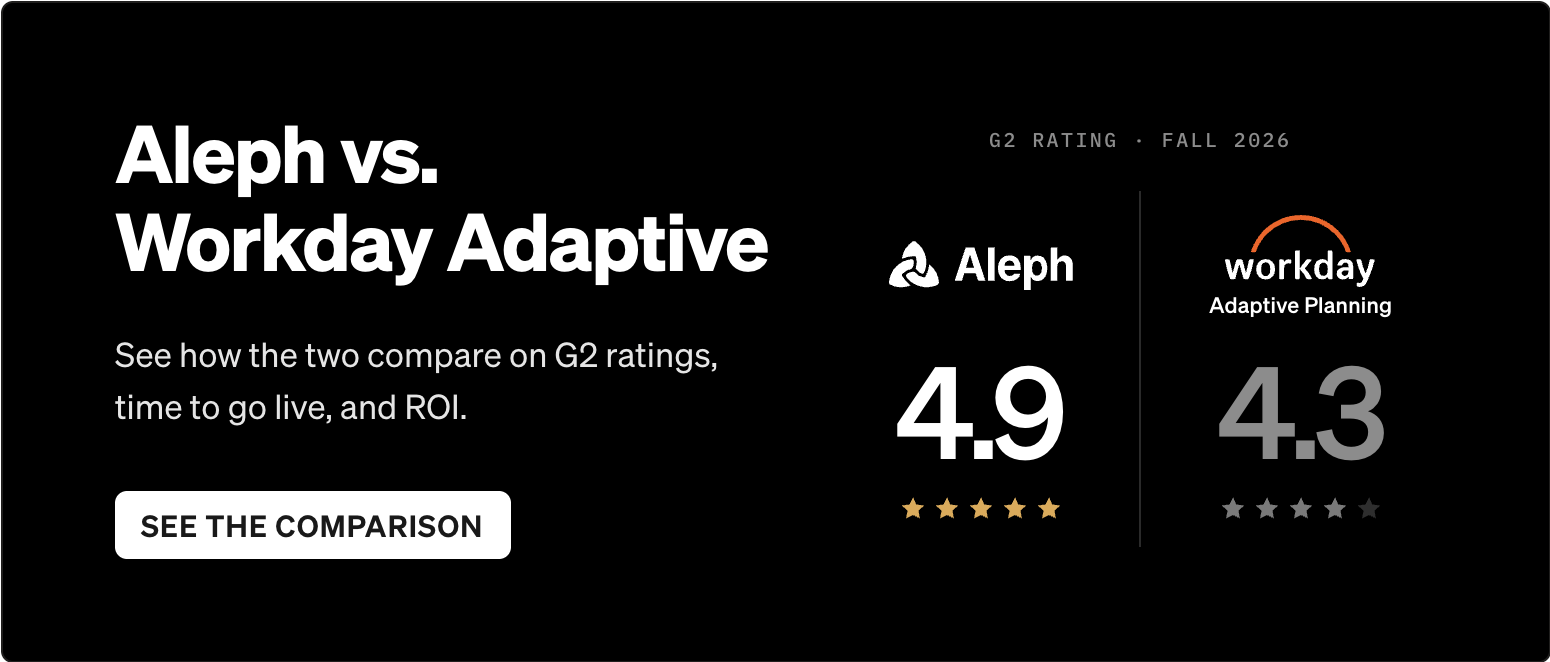
Workday Adaptive Planning is a capable platform — it carries a 4.3/5 on G2 (303 reviews) and a 4.5/5 on Capterra (230 reviews), with consistent praise for driver-based modeling, unlimited scenario analysis, and OfficeConnect for Excel-based reporting. But reviews also surface recurring pain points that drive teams to evaluate alternatives:
1. Steep learning curve and complex setup
G2 reviewers frequently cite the learning curve as a top complaint. The platform's modeling interface and proprietary formula language require significant training before users can work independently, and initial configuration often takes longer than expected.
2. Implementation timelines that stretch
Workday reports an average deployment of 4.5 months, but real-world timelines for mid-market and enterprise teams frequently extend beyond that — especially when consolidation, workforce planning, and multi-entity structures are involved.
3. Pricing opacity and enterprise-oriented costs
Workday Adaptive does not publish pricing. Costs scale with package selection, user count, seat types, and contract duration. Multiple review sources note pricing can be steep for smaller organizations, and the lack of transparency complicates budgeting for the tool itself.
4. Limited spreadsheet continuity
While OfficeConnect provides Excel-based reporting that pulls live data from Adaptive models, the core modeling and planning work happens in a web-based interface — not natively in Excel or Google Sheets. Teams that want to build and maintain models directly in spreadsheets may find the workflow disruptive.
5. Ecosystem lock-in considerations
Adaptive's deepest value materializes within the Workday ecosystem — organizations running Workday HCM and Financial Management see the tightest integration. Teams on different ERPs or HRIS platforms won't realize the same connectivity advantages. NetSuite companies weighing Oracle's own planning tool should also read our guide to NetSuite Planning and Budgeting alternatives.
What's the best alternative to Workday Adaptive Planning for mid-market teams?
{callout}
For mid-market and scaling enterprise teams that prioritize spreadsheet continuity and fast time-to-value, Aleph is the strongest fit. It combines a spreadsheet-native environment (both Excel and Google Sheets) with no-code modeling, 200+ native connectors, and AI-powered variance analysis—delivering implementation timelines measured in days to weeks rather than months.
{/callout}
Why are finance teams switching from Workday Adaptive Planning in 2026?
{callout}
Finance teams are switching because they want faster time-to-value, lower total cost of ownership, stronger spreadsheet integration, and self-service modeling that doesn't require specialized administrators or extended training cycles.
{/callout}
The shift isn't usually about missing features — Adaptive is a deep platform. It's about operational fit. Three patterns drive most switches:
Speed vs. complexity trade-off
Many mid-market teams discover that Adaptive's enterprise-grade capabilities come with enterprise-grade implementation effort. When a 200-person SaaS company needs rolling forecasts and headcount planning, a 4–5 month deployment with consultant dependencies is hard to justify against alternatives that go live in weeks.
Spreadsheet continuity
Finance teams live in Excel and increasingly in Google Sheets. Platforms that let you build and maintain models directly in your spreadsheet — not just pull reports from a separate system — reduce change management friction and accelerate adoption.
Total cost of ownership
Adaptive's all-in costs (licensing, implementation, administration, ongoing model maintenance) add up. Independent analyses note that some alternatives achieve 4–5x faster deployments and substantially lower TCO through simpler architecture and finance-owned administration.
Can you keep Adaptive and work in Google Sheets or Excel?
Yes. Plenty of teams keep Workday Adaptive Planning as the system of record for the approved plan and do the analysis in spreadsheets on top of it. Adaptive's own route into spreadsheets is OfficeConnect, which links Excel, Word and PowerPoint to Adaptive data.
A connected spreadsheet layer covers the rest. Aleph connects to Adaptive as a data source, so plan and forecast versions from Adaptive sit next to ERP actuals in Excel or Google Sheets, refresh on a schedule, and feed AI variance commentary without anyone exporting a CSV. Adaptive keeps doing what you have already configured it to do, and finance stops rebuilding the same budget-versus-actual file every month.
This works best when Adaptive is stable and the pain is analysis and reporting speed. It works less well when the pain is Adaptive itself.
Signs it's time to replace Adaptive rather than extend it
- You have added headcount just to maintain models. If an admin or systems role exists mainly to keep Adaptive running, the platform costs you a salary on top of the license.
- Every model change needs a consultant. When adding a department or changing a driver means a statement of work, planning moves at the consultant's pace.
- Your entity structure has outgrown it. After acquisitions, bolted-on entities, mismatched dimensions and workaround sheets turn the model into something nobody fully trusts.
If two of those sound familiar, compare the cost of extending Adaptive with the cost of moving at your next renewal, while there is still time to negotiate.
How should you evaluate FP&A software when considering alternatives to Workday Adaptive Planning?
{callout}
Evaluate alternatives across seven dimensions:
- Usability and spreadsheet integration
- Implementation speed
- Modeling depth and scalability
- Integration breadth
- Ongoing maintenance burden
- AI and analytics capabilities
- Total cost of ownership
Weight these based on whether your priority is speed, depth, or both.
{/callout}
| Criterion | Weight | What to Assess |
|---|---|---|
| Core FP&A functionality | High | Budgeting, forecasting, consolidation, reporting |
| Integration depth | High | Native connectors, real-time sync, field mapping |
| AI and automation | Medium–High | Variance analysis, anomaly detection, forecasting |
| Implementation speed | Medium–High | Time to first report, no-code vs. consultant-dependent |
| Scalability | Medium | Multi-entity, multi-currency, growing data volumes |
| Security & compliance | Medium | SOC 2, role-based access, audit trails |
| Spreadsheet compatibility | Medium | Excel and/or Google Sheets, bi-directional sync |
| Adoption ease | Medium | Learning curve, change management required |
| Total cost of ownership | High | Licensing + implementation + admin + training |
The best Workday Adaptive Planning alternatives in 2026
1. Aleph: No-code, spreadsheet-native FP&A with AI-powered automation

Best for: Mid-market to enterprise teams wanting speed, flexibility, and Excel + Google Sheets support.
Aleph combines a spreadsheet-native environment with no-code modeling, AI-powered variance analysis, and 200+ native connectors to ERPs, CRMs, HRIS, and data warehouses — so finance teams can go live in days to weeks without heavy IT lift or consultant dependencies.
Key strengths
- Dual spreadsheet support: Native integration with both Excel and Google Sheets — one of very few platforms supporting both — preserving existing workflows while adding governed collaboration and version control.
- No-code modeling and administration: Finance teams build and maintain models, integrations, and reports without IT support or specialized administrators, using intuitive drag-and-drop logic and visual mapping.
- AI-powered variance analysis: Aleph's AI agents surface explanations for budget-to-actual variances and automate reporting workflows, reducing manual analysis time and improving forecasting accuracy.
- 200+ native connectors: Pre-built integrations to NetSuite, Salesforce, Workday HCM, BambooHR, Snowflake, and more — with no-code field mapping that minimizes ongoing maintenance.
- Enterprise-grade security: SOC 2 compliance, role-based access controls, audit logs, and real-time data unification across sources.
9.88.2“The whole Aleph team are absolutely amazing partners. Very responsive, curious about what our processes are and how they can help us.”

How it differs from Workday Adaptive Planning
Where Adaptive requires a web-based modeling interface with a proprietary formula language and typical implementations measured in months, Aleph lets finance build and iterate models directly in their spreadsheets with implementations measured in days to weeks.
Adaptive's deepest value is within the Workday ecosystem; Aleph is system-agnostic with broad connector coverage. And while Adaptive's AI capabilities center on Illuminate's predictive forecasting, Aleph's AI focuses on explainable variance analysis and automated reporting — practical automation that fits into monthly FP&A workflows.
Limitations to watch
Aleph is optimized for mid-market to enterprise FP&A. Teams needing deep financial consolidation with intercompany eliminations, currency translation, and statutory reporting at global scale may need to evaluate whether Aleph's consolidation capabilities meet their specific requirements, or whether an enterprise CPM platform is warranted.
See the full Aleph vs. Adaptive comparison.
2. Anaplan: Enterprise-scale connected planning
Best for: Large enterprises with complex, cross-functional planning across finance, sales, and operations.
Anaplan handles planning complexity at a scale most platforms can't match. It's designed for organizations managing planning across dozens of business units with thousands of SKUs, hundreds of cost centers, and multiple currencies. The Hyperblock calculation engine supports large-scale, multi-dimensional models with real-time recalculation.
Key strengths
- Cross-functional modeling at scale: Connects finance, sales, supply chain, and HR planning on a single platform with consistent dimensions and assumptions.
- Hyperblock calculation engine: Purpose-built for large-scale, real-time modeling across millions of data cells.
- Advanced AI/ML: PlanIQ provides machine learning forecasting and predictive capabilities, though explainability varies.
- Marketplace ecosystem: Pre-built connectors and model templates accelerate deployment for common use cases.
How it differs from Workday Adaptive Planning
Both serve enterprise buyers, but Anaplan goes deeper on cross-functional connected planning — unifying finance, sales ops, and supply chain on a single engine. Adaptive is stronger within the Workday ecosystem and for workforce planning tied to HCM data. Anaplan's implementation complexity and cost are higher, but its modeling ceiling is also higher for organizations with genuinely complex, multi-domain planning needs.
Limitations to watch
Implementation costs are significant, the learning curve is steep, and you'll need dedicated model builders (internal or partner) to manage governance and prevent model sprawl. Anaplan is overkill for teams under 500 employees or without the budget for a multi-month deployment and ongoing administration. The platform is not spreadsheet-native — models are built in Anaplan's web interface, not in Excel.

3. Vena Solutions: Excel-centric planning with governed collaboration
Best for: Excel-first teams seeking governed collaboration and workflow automation.
Vena Solutions layers workflow automation, approval templates, and data governance over native Excel, creating a governed planning environment that preserves existing spreadsheet workflows. It's built on the Microsoft 365 ecosystem, with Power BI integration for reporting and collaboration.
Key strengths
- Native Excel interface: Users work directly in Excel with Vena's add-in providing governance, versioning, and workflow controls.
- Workflow and approval automation: Configurable templates for budgeting, forecasting, and close processes with approval routing and task management.
- Vena Copilot: Agentic AI capabilities within the Microsoft ecosystem for planning assistance and natural language queries.
- Microsoft ecosystem alignment: Deep integration with Excel, Power BI, and Microsoft 365 tools.
How it differs from Workday Adaptive Planning
Vena preserves full Excel fidelity — users build and maintain models in Excel with Vena providing the governance layer. Adaptive requires working in its web-based interface for core modeling. Vena's strength is the Microsoft ecosystem; Adaptive's is the Workday ecosystem. Vena typically implements faster for teams with Excel-heavy workflows, while Adaptive offers deeper consolidation and workforce planning features tied to Workday HCM.
Limitations to watch
Vena is Excel-only — no Google Sheets support. Teams that have adopted Google Sheets or want dual-spreadsheet flexibility need to look elsewhere. Implementation timelines, while shorter than Adaptive, can still extend for complex deployments. Several reviewers note that the depth of reporting and analytics lags behind the platform's planning strengths. In March 2026 Vena acquired Acterys, a Power BI-based planning and app platform, and now markets itself around Microsoft-native “Orchestrated Planning”: Excel-based financial planning with Power BI write-back and Microsoft Fabric analytics. That makes Vena an even stronger fit for teams standardized on Microsoft, and a weaker one for teams on Google Sheets or outside the Microsoft stack.
4. Planful: Cloud FP&A with financial close and consolidation
Best for: Mid-market teams balancing FP&A, financial close, and consolidation workflows.
Planful packages FP&A, financial close, and consolidation in a single cloud platform, targeting mid-market teams that want structured workflows without the implementation weight of enterprise CPM tools like OneStream or Anaplan.
Key strengths
- Unified FP&A + close: Combines planning, budgeting, and forecasting with close management, reconciliation, and consolidation in one platform.
- AI-powered insights: Predict Signals provides trend analysis, anomaly detection, and narrative commentary to surface issues before they hit the P&L.
- Structured onboarding: Predictable rollout with templated deployment that targets faster time-to-value than enterprise alternatives.
- Broad connector ecosystem: Pre-built integrations to major ERPs, CRMs, and HRIS platforms.
How it differs from Workday Adaptive Planning
Planful's differentiator is the combination of FP&A with financial close management in a single platform — Adaptive doesn't include close process automation natively (though the Workday suite covers it separately). Planful's AI capabilities around anomaly detection and narrative generation are more focused on proactive alerting than Adaptive's Illuminate layer, which emphasizes predictive forecasting. Implementation is typically faster for mid-market deployments.
Limitations to watch
Planful's modeling capabilities are less flexible than Adaptive's for complex, multi-dimensional scenarios. The platform's close management features add value for teams that own that process, but they're overhead for teams focused purely on planning and forecasting. Some reviewers note that advanced customization requires more effort than expected.
5. OneStream: Unified platform for financial consolidation and reporting
Best for: Complex multi-entity consolidation, compliance, and statutory reporting.
OneStream unifies financial consolidation, close management, planning, and reporting on a single platform with a shared data model. (OneStream was taken private by Hg in a $6.4 billion all-cash deal completed in April 2026; CEO Tom Shea continues to lead the company.) It's designed for large enterprises with complex ownership structures, multi-GAAP requirements, and sophisticated intercompany elimination needs.
Key strengths
- Deep consolidation engine: Handles complex ownership, partial acquisitions, multi-GAAP, currency translation, and intercompany eliminations natively.
- Unified data model: Planning, consolidation, and reporting share a single data layer — no data movement between modules.
- OneStream Marketplace: Extensible platform with pre-built solutions for close management, account reconciliation, tax provisioning, and ESG reporting.
- Strong governance: Enterprise-grade security, audit trails, and compliance controls for regulated industries.
How it differs from Workday Adaptive Planning
OneStream goes significantly deeper on consolidation than Adaptive's consolidation add-on. For organizations with complex ownership structures, statutory reporting requirements, or multi-GAAP needs, OneStream's consolidation engine is purpose-built for that complexity. Adaptive is stronger for workforce planning and scenario modeling within the Workday ecosystem. OneStream's implementation is heavier, but organizations that need consolidation depth often find Adaptive's consolidation features insufficient.
Limitations to watch
OneStream requires significant implementation investment and specialized skills. The platform is not spreadsheet-native — users work in OneStream's interface. It's engineered for enterprises with genuine consolidation complexity; mid-market teams with simpler entity structures may find it more tool than they need.
6. Pigment: Modern planning platform with flexible multi-dimensional modeling
Best for: High-growth organizations needing flexible, visual multi-dimensional modeling.
Pigment delivers a modern, visually oriented planning platform with flexible multi-dimensional modeling and implementations that typically move faster than enterprise CPM tools. Its API-first architecture and collaborative interface appeal to high-growth SaaS and tech companies.
Key strengths
- Flexible modeling: Supports complex multi-dimensional models with a visual, drag-and-drop interface that's more accessible than traditional EPM modeling languages.
- Collaborative workflows: Real-time collaboration with granular permissions and version control built into the modeling environment.
- API-first architecture: Modern integration approach that connects well with contemporary SaaS stacks.
- AI-assisted forecasting: Transparent modeling logic with AI capabilities for trend detection and scenario generation.
How it differs from Workday Adaptive Planning
Pigment's modeling interface is more visual and accessible than Adaptive's web-based formula environment, with a shorter learning curve for non-technical users. Pigment's API-first architecture integrates more naturally with modern SaaS stacks, while Adaptive's deepest integrations are within the Workday ecosystem. Pigment typically implements faster, but it lacks Adaptive's consolidation depth and Workday HCM integration.
Limitations to watch
Pigment is not spreadsheet-native — it uses a spreadsheet-friendly interface, but models are built in Pigment's environment, not in Excel. Pricing follows a quote-based model that can scale significantly with user count and model complexity. The platform is newer and has a smaller install base than Adaptive, which may matter for risk-averse enterprise buyers.
7. Jedox: Flexible, Excel-friendly modeling with hybrid deployment
Best for: Mid-market teams wanting Excel-friendly modeling with hybrid deployment options.
Jedox combines an Excel add-in interface with a web-based planning platform and multidimensional modeling engine, offering flexibility for teams that want Excel familiarity with more sophisticated modeling capabilities underneath.
Key strengths
- Excel add-in + web interface: Dual-interface approach lets Excel users work in their familiar environment while the web interface provides broader access and collaboration.
- Multidimensional OLAP engine: Supports complex calculations and drill-down analysis across multiple hierarchies.
- Hybrid deployment: Cloud, on-premises, or hybrid options for organizations with specific data residency or compliance requirements.
- Low-code model building: Business users can create and modify models with less IT dependence than traditional EPM tools.
How it differs from Workday Adaptive Planning
Jedox offers true hybrid deployment flexibility — cloud, on-prem, or both — while Adaptive is cloud-only. Jedox's Excel add-in provides deeper spreadsheet integration than Adaptive's OfficeConnect, which is primarily a reporting tool. Jedox is more accessible for mid-market budgets, while Adaptive's strength is the Workday ecosystem integration and larger customer base (6,300+).
Limitations to watch
Jedox's market presence and customer base are smaller than Adaptive's. The platform's multidimensional modeling engine is powerful but requires more technical understanding to fully leverage. Implementation effort varies significantly based on model complexity and deployment configuration.
8. Board: Integrated planning and business intelligence suite
Best for: Mid-to-large enterprises unifying BI and planning on a single data layer.
Board combines planning, analytics, and business intelligence in a single platform, providing a unified data and modeling layer that eliminates the gap between reporting and planning that exists in many FP&A tool stacks.
Key strengths
- Single platform for BI + planning: No separate BI tool needed — analytics, dashboards, and planning share one data model.
- Customizable enterprise modeling: Supports complex logic, allocations, and multi-dimensional analysis for large organizations.
- BEAM (Board Enterprise Agile Modeling): AI and ML capabilities for predictive analytics and scenario optimization.
- Broad industry coverage: Strong presence in manufacturing, retail, and financial services with industry-specific solutions.
How it differs from Workday Adaptive Planning
Board's core differentiator is the unified BI + planning architecture — Adaptive relies on Workday's reporting layer or third-party BI tools for analytics. Board's modeling flexibility is comparable to Adaptive's, but with stronger native analytics. Adaptive wins on workforce planning depth and Workday ecosystem integration. Board implementations tend to be longer than Adaptive's for comparable scope.
Limitations to watch
Board's combined BI + planning approach means a larger implementation footprint. The platform has a steeper learning curve than lighter alternatives and is best suited for organizations that will use both the BI and planning capabilities. Excel integration is moderate — not as deep as Jedox or Vena.
9. SAP Analytics Cloud: AI-driven BI and planning for SAP enterprises
Best for: SAP-centric enterprises needing unified BI and planning with minimal integration friction.
SAP Analytics Cloud (SAC) provides planning, BI, and predictive analytics with native integration into the SAP ecosystem — including S/4HANA, ECC, SuccessFactors, and other SAP modules. For organizations already running SAP as their core ERP, SAC offers the path of least resistance for unified planning and analytics.
Key strengths
- SAP-native integration: Seamless data flow with S/4HANA, ECC, SuccessFactors, Ariba, and other SAP modules.
- Combined BI + planning: Analytics, dashboards, and financial planning in a single cloud platform.
- Advanced AI/ML: Predictive analytics, smart insights, and automated anomaly detection powered by SAP's AI capabilities.
- In-memory performance: SAP HANA backend delivers fast calculation and reporting even with large data volumes.
How it differs from Workday Adaptive Planning
SAC's advantage is the SAP ecosystem — just as Adaptive's advantage is the Workday ecosystem. For SAP shops, SAC provides tighter integration and lower total effort than Adaptive. SAC's native BI capabilities are stronger than Adaptive's reporting layer. However, Adaptive is generally considered more accessible for non-technical finance users, and its workforce planning features are more mature than SAC's.
Limitations to watch
SAC's value proposition weakens significantly outside the SAP ecosystem. Implementation complexity and costs are substantial. The platform's planning capabilities, while improving, are less mature than dedicated FP&A tools for organizations that don't need the BI layer. Non-SAP integrations exist but require more effort than native connections.
10. Prophix: Comprehensive corporate performance management
Best for: Growing organizations seeking all-in-one CPM with automation.
Prophix offers a balanced CPM suite that packages budgeting, forecasting, reporting, consolidation, and automation for organizations that want comprehensive FP&A capabilities without the implementation weight of enterprise tools like Anaplan or OneStream.
Key strengths
- All-in-one CPM: Budgeting, forecasting, reporting, consolidation, and workflow automation in a single platform.
- Prophix AI: Virtual analyst capabilities for automated commentary, anomaly detection, and trend identification.
- Flexible deployment: Cloud-based with a modern interface that balances power with accessibility.
- Mid-market focus: Sized and priced for growing organizations rather than large enterprises.
How it differs from Workday Adaptive Planning
Prophix packages more CPM breadth (including consolidation and close) at a mid-market price point, while Adaptive positions as a planning-first platform within the Workday ecosystem. Prophix's AI capabilities are oriented toward automated commentary and virtual analysis, compared to Adaptive's Illuminate layer for predictive forecasting. Prophix typically requires less implementation effort for comparable scope.
Limitations to watch
Prophix's modeling flexibility doesn't match Adaptive's for complex, multi-dimensional scenarios. The platform's consolidation features are solid for mid-market needs but don't compete with OneStream for complex ownership structures. Integration depth is narrower than Adaptive's 300+ connector claim.
11. Cube: Spreadsheet-first FP&A with data automation
Best for: Small to mid-market teams prioritizing Excel and Google Sheets familiarity.
Cube pairs strong Excel and Google Sheets connectivity with centralized data and automations, enabling finance teams to maintain their spreadsheet workflows while improving version control, data governance, and reporting consistency.
Key strengths
- Dual spreadsheet support: Works with both Excel and Google Sheets, preserving existing models and formulas.
- Centralized data layer: Connects spreadsheets to a governed data backbone with version control and audit trails.
- Finance-owned setup: Designed for finance teams to configure and maintain without IT dependence.
- Published pricing: Transparent tier-based pricing starting from $1,500/month.
How it differs from Workday Adaptive Planning
Cube is purpose-built for spreadsheet-first teams — models stay in Excel or Google Sheets with Cube providing the data layer. Adaptive requires working in its web interface for core modeling. Cube implements faster and at lower cost for small to mid-market teams, but it doesn't match Adaptive's modeling depth, consolidation features, or enterprise scale.
Limitations to watch
Cube's modeling capabilities are limited compared to Adaptive's driver-based engine for complex, multi-dimensional scenarios. The platform is less proven at enterprise scale with dozens of entities and complex consolidation needs. AI features are emerging rather than mature.
12. Mosaic (now Bob Finance, by HiBob): Collaborative financial planning with intuitive UX
Best for: Tech-forward finance teams valuing rapid deployment and intuitive UX.
Mosaic (now Bob Finance, by HiBob) focuses on collaborative workflows and modern UX for finance teams at high-growth companies, emphasizing quick deployment and accessible analytics over deep modeling complexity.
Key strengths
- Modern, intuitive interface: Clean UX designed for teams that value accessibility and rapid adoption.
- Collaborative planning workflows: Built for cross-functional input and review processes.
- Fast deployment: Targeted at quick go-live for teams with straightforward planning needs.
- Strategic analytics: Dashboards and reporting oriented toward board-ready outputs.
How it differs from Workday Adaptive Planning
Mosaic trades modeling depth for speed and simplicity. Where Adaptive serves teams with complex scenario modeling and consolidation needs, Mosaic targets teams that want quick wins in budgeting, forecasting, and reporting without the implementation investment. Mosaic's UX is more modern and accessible, but it doesn't approach Adaptive's modeling ceiling.
Limitations to watch
Mosaic's modeling and consolidation capabilities are substantially lighter than Adaptive's. The platform is best suited for teams with relatively straightforward planning needs — organizations with complex entity structures, multi-currency requirements, or sophisticated driver-based models will likely outgrow it. Smaller customer base and ecosystem than Adaptive.
What pricing models should you expect across Workday Adaptive alternatives?
{callout}
Nearly all alternatives use subscription pricing — user-based, package-based, or a combination — billed annually. Pricing is custom-quoted for most enterprise platforms (Adaptive, Anaplan, OneStream, SAP, Pigment, Board). Cube is one of the few with published pricing (starting at $1,500/month). Total cost of ownership should include implementation, training, change management, ongoing admin, and connector maintenance — not just licensing.
{/callout}
How to choose the right Workday Adaptive Planning alternative
The right alternative depends on where your pain is sharpest:
If speed and spreadsheet continuity are the priority…look at Aleph (Excel + Google Sheets, days-to-weeks implementation), Cube (Excel + Google Sheets, simple setup), or Vena (Excel-native with governance). These platforms minimize change management and get your team productive fast.
If you need enterprise-grade consolidation and governance…evaluate OneStream (deep consolidation, statutory reporting), Anaplan (cross-functional connected planning at scale), or SAP Analytics Cloud (for SAP-centric organizations). Expect longer implementations and specialized skills.
If you want a mid-market balance of capability and speed…consider Planful (FP&A + close management), Pigment (flexible modeling with modern UX), or Prophix (all-in-one CPM). These implement faster than enterprise tools while offering more depth than spreadsheet-first platforms.
If you're in a specific ecosystem…that often tips the decision: Workday shops get the most from Adaptive, SAP shops from SAC, Microsoft shops from Vena. If you're system-agnostic, that's where Aleph's broad connector coverage and dual-spreadsheet support become strongest. If that Microsoft stack runs on Dynamics 365 Business Central, our Business Central FP&A comparison covers which vendors actually connect to it, since Business Central and Dynamics 365 Finance are different ERPs.
Regardless of category, pilot with your real models and data. Speak with references that match your company size and industry. And evaluate total cost of ownership — not just licensing, but implementation, training, administration, and the ongoing effort to keep the system useful beyond go-live.
Looking for a Workday Adaptive Planning alternative that goes live in days, not months? See how Aleph compares →
Get FP&A best practices, research reports, and more delivered to your inbox.