Connect HubSpot to Aleph
Sync your HubSpot CRM data into Aleph for pipeline, bookings and revenue reporting. Aleph only reads from HubSpot.
#What the app does
Aleph's HubSpot integration brings your CRM data into Aleph, so finance can report on pipeline, bookings and revenue next to your ERP, HRIS and spreadsheet data. It only reads from HubSpot. It never creates, edits or deletes HubSpot records.
#Install the app and connect HubSpot
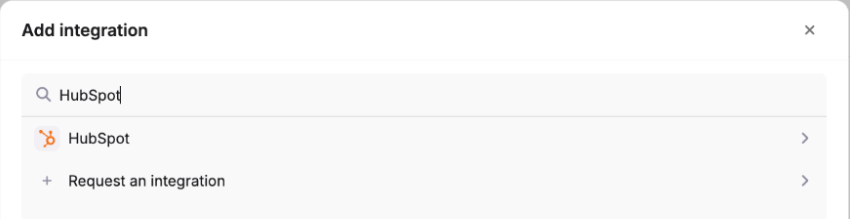
Find HubSpot in Aleph
Go to Integrations, click Add integration and search for HubSpot.
Choose who can see the HubSpot tables
If Aleph asks who should have access to the tables this integration creates, pick the people or groups in your workspace, then click Continue.
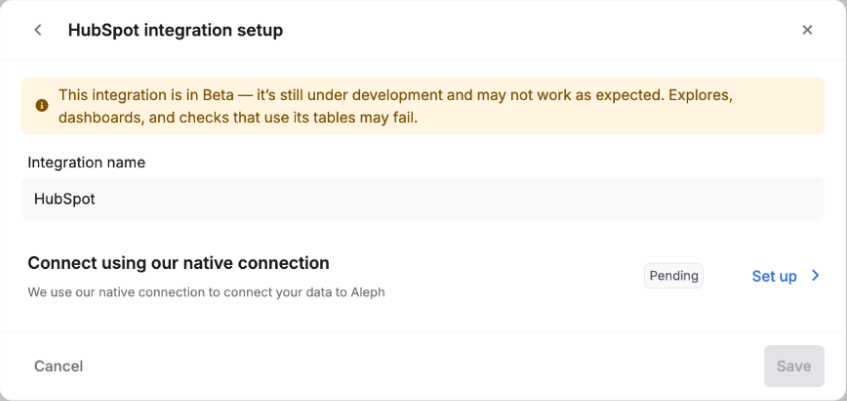
Name it and start the connection
Name the integration, then click Set up next to Connect using our native connection.
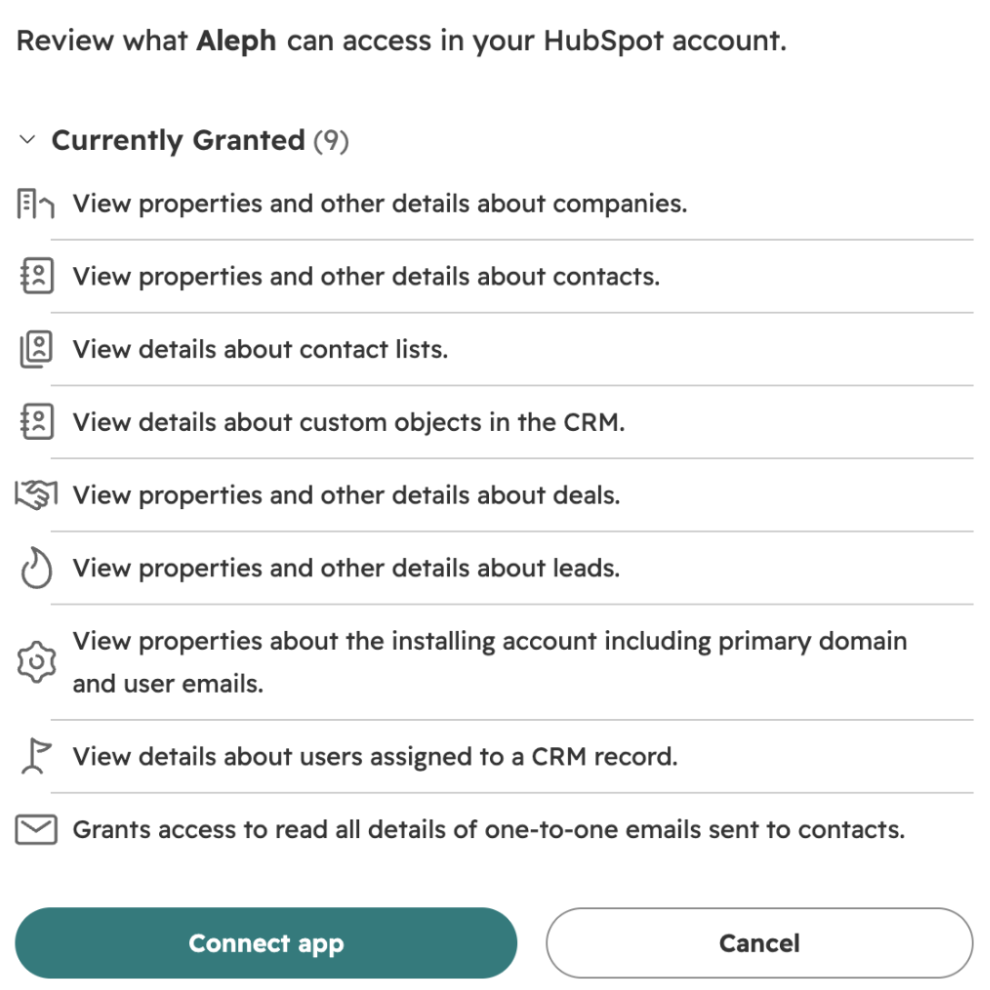
Approve access in HubSpot
Sign in to HubSpot, choose the account to connect, review what Aleph can read and click Connect app. Every permission is listed under Permissions below.
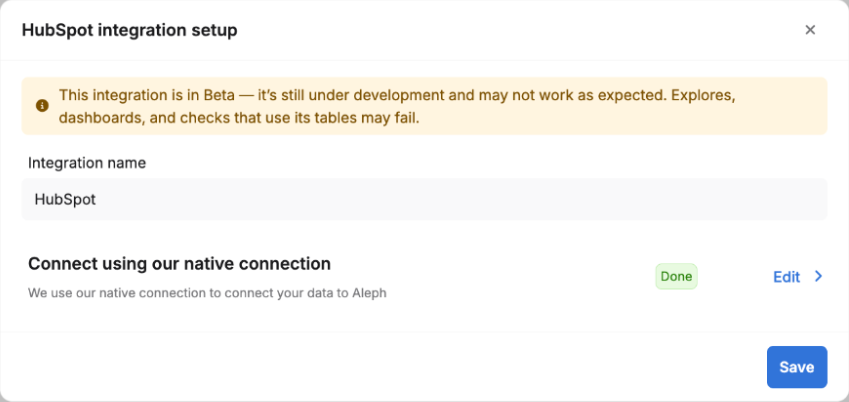
Save, and the first sync starts
Back in Aleph, click Save. Aleph starts the first sync and creates your HubSpot tables when it finishes.
#Configure the app
There's nothing to configure. After the first sync, your HubSpot tables appear under Tables, ready for reports, dashboards and the spreadsheet add-ins.
#Use the app
Syncs every night
Aleph pulls your HubSpot data once a day, overnight. Nothing to do.
Refresh any time
In Integrations, open the ⋮ menu next to HubSpot and click Refresh.
#Disconnect or uninstall
Neither one touches your records in HubSpot. They differ in what happens to the data already in Aleph.
In Integrations, open the ⋮ menu next to HubSpot and click Delete.
Aleph disconnects from HubSpot and removes the HubSpot tables from Aleph.
Follow HubSpot's guide to uninstalling a connected app.
Syncing stops. Tables already in Aleph stay until you also delete the integration in Aleph.
#Permissions Aleph asks for
These are the HubSpot scopes Aleph requests, by their exact names. Aleph uses them to read data. It never writes to HubSpot.
crm.objects.companies.readCompanies and their propertiesReadcrm.objects.contacts.readContacts and their propertiesReadcrm.objects.deals.readDeals and their propertiesReadcrm.objects.leads.readLeads and their propertiesReadcrm.objects.custom.readCustom objects in your CRMReadcrm.objects.owners.readUsers assigned to CRM recordsReadcrm.lists.readContact listsReadsales-email-readOne-to-one emails sent to contactsReadoauthYour account's primary domain and user emails, to connect the right accountReadticketsTicketsHubSpot's tickets scope covers read and write. Aleph only reads tickets.Read and write#Get help
DataDoes Aleph change anything in HubSpot?
No. Aleph only reads from HubSpot. It never creates, edits or deletes HubSpot records, and disconnecting or uninstalling leaves HubSpot as it was.
SyncHow often does Aleph sync, and can I force a sync?
Aleph syncs once a day, overnight. To sync now, go to Integrations, open the ⋮ menu next to HubSpot and click Refresh.
DataWhat happens to synced data if I uninstall in HubSpot?
Syncing stops, and the HubSpot tables already in Aleph stay. To remove them, delete the integration in Aleph from the ⋮ menu in Integrations.
AccessWho can install and manage the integration?
In Aleph, anyone whose login can manage integrations. In HubSpot, a user who can install apps in the account being connected.