

Dot grid
Blog
>
Aleph MCP launch

Introducing Aleph MCP: Trusted finance data, now in your favorite AI tools

Trusted finance data, now in the AI tools your team already uses.

Adam Feber
FP&A-obsessed product marketer
Share to
Table of contents
Subscribe to the 10X Finance Blog

Get FP&A best practices, research reports, and more delivered to your inbox.

Thank you! Your submission has been received!
Oops! Something went wrong while submitting the form.

A few weeks ago, we introduced Aleph Agent—AI that knows your finance data inside and out—and showed how it works in the Aleph web app, Slack, Teams, and dashboards.

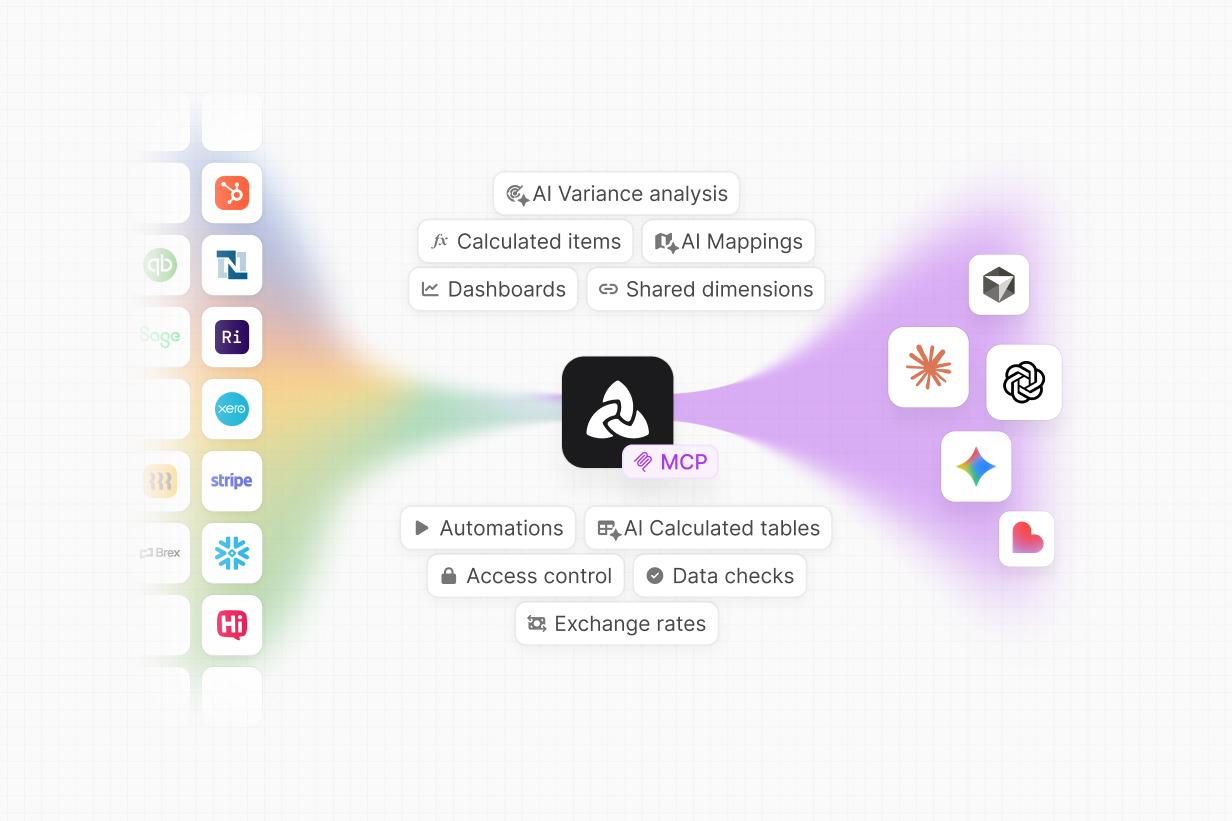
Today, we're taking it a step further. With our new MCP integration, you can now connect Aleph Agent to the LLMs and AI tools you already use: Claude, ChatGPT, Cursor, Lovable, and more, in-app or in a spreadsheet.

Take AI in Excel to the next level

Finance lives in spreadsheets. So does the new generation of AI tools built on top of them, like Claude for Excel. Instead of updating spreadsheets manually, you can ask the LLM to do it for you. Build models, write formulas, rearrange pivot tables, and run analyses, all at the speed of a prompt.

On their own, these AI spreadsheet integrations are impressive. With the Aleph MCP, they’re a game-changer.

Now those same AI tools can pull directly from your governed Aleph data. Ask Claude for Excel to build a revenue model, and it can use your real ARR, your actual customer counts, and your current cohort data. Ask ChatGPT in Excel to build a department-level forecast, and it can grab live headcount and spend without you ever leaving the sheet. No need to upload CSVs—the LLMs have all the context they need via the MCP.

The biggest AI companies in the world have made their direction clear: spreadsheets are the primary interface for AI-powered finance work. So instead of migrating to a web app and leaving spreadsheets behind, finance teams can keep using the tools they know and layer AI capabilities on top of them.

The mind-blowing part is this is the worst these LLM/spreadsheets integrations will ever be. As they get more useful, so does the Aleph MCP. Anything you do from now on in a spreadsheet is backed up by your trusted finance data, with every output traceable back to your source of truth.

Call Aleph Agent in your favorite LLM

The Aleph MCP also brings Aleph Agent to your favorite LLMs. Anything you can do with Agent in Slack or the Aleph web app, you can do in your AI tool of choice.

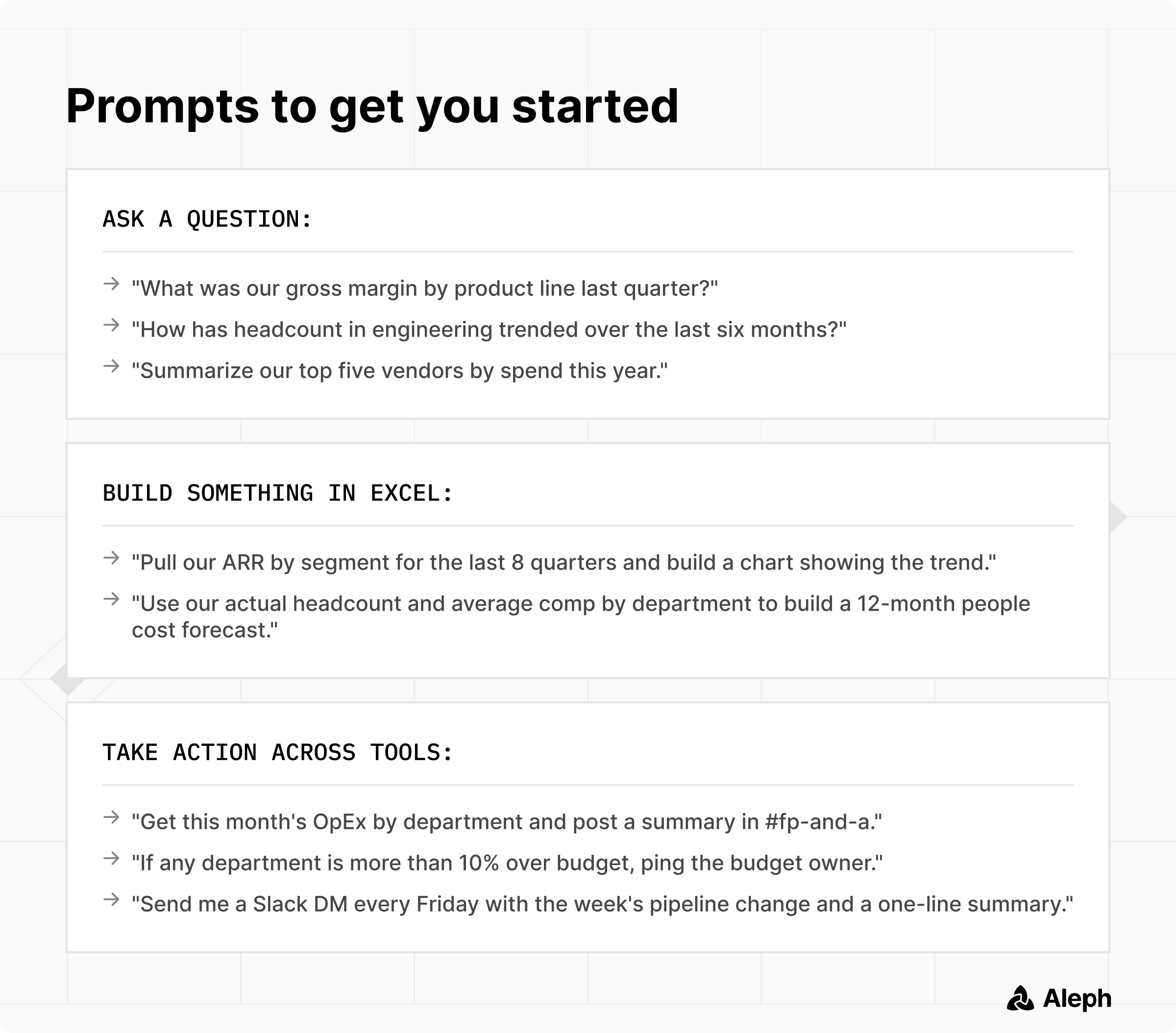
Say you’re in conversation with Claude about this month’s board update. You can ask it to pull ARR by segment, summarize headcount by department, or identify what drove OpEx higher since last month. You could upload a CSV with this info, but it would be siloed and unable to refresh when the numbers change. Instead, Claude can call Aleph Agent directly and get a live answer from your connected finance data.

Then you can keep going:

  • Have it turn the answer into board-ready commentary
  • Update the board deck with the latest numbers and narrative
  • Draft a Slack summary for department heads
  • Create a follow-up task for the budget owner

The experience still feels like a normal LLM conversation. The difference is the confidence you have in the numbers, because every output is rooted in your trusted data layer—respecting your mappings and permissions, and tracing every answer back to the source.
Try it and let us know what you think

Aleph MCP is live for teams ready to bring trusted finance data into the AI tools they already use. Connect Aleph, try a few prompts, and see what changes when Claude, ChatGPT, Excel, and the rest of your AI stack can finally work from the same numbers your finance team trusts.

Subscribe to the 10X Finance Blog

Get FP&A best practices, research reports, and more delivered to your inbox.

Thank you! Your submission has been received!
Oops! Something went wrong while submitting the form.

Frequently asked questions

What is Aleph MCP?

Aleph MCP connects Aleph Agent to the LLMs and AI tools your team already uses, including Claude, ChatGPT, Cursor, Lovable, and spreadsheet tools like Excel and Google Sheets. It gives those tools access to your governed Aleph data, so they can answer questions, build reports, refresh models, and take action using live finance data instead of static exports.

What does MCP stand for?

MCP stands for Model Context Protocol. It’s a way for AI tools to connect with other software and understand what data and actions are available. For Aleph users, that means your AI tools can securely access Aleph’s finance data layer, including your actuals, forecasts, mappings, permissions, and source systems.

How is Aleph MCP different from uploading a CSV to Claude or ChatGPT?

Uploading a CSV works for one-off analysis, but the data is static. The LLM doesn’t know whether the file is current, how your metrics are defined, or how the numbers connect to the rest of your finance workflow. With Aleph MCP, the AI tool can pull directly from live Aleph data. That means the answer is refreshable, traceable, and grounded in the same source of truth your finance team already uses.

How does Aleph MCP work with Excel?

Aleph MCP lets AI tools like Claude, ChatGPT, and Gemini work with live Aleph data inside spreadsheets. Instead of building a hardcoded workbook from a file upload, the LLM can use Aleph data to build models, pull actuals, refresh forecasts, and create analyses that stay connected to the source. That gives you the flexibility of Excel with the trust and structure of Aleph underneath.

What can I do with Aleph MCP?

You can use Aleph MCP to ask questions, build reports, update dashboards, refresh models, draft commentary, and trigger workflows across tools. For example, you can ask Claude to pull ARR by segment, generate variance commentary, summarize OpEx by department, post a Slack update, or build a live BvA model in Excel using Aleph data.

Can I trust the answers from Aleph MCP?

Yes. Aleph MCP is grounded in your governed Aleph data layer. That means answers respect your existing mappings, permissions, and source systems, instead of relying on pasted context or stale files. You still review the output, especially for board-ready work, but the numbers come from the same trusted data layer you already use in Aleph.

Does Aleph MCP replace Aleph Agent?

No. Aleph MCP extends Aleph Agent into the AI tools where your team already works.

Aleph Agent still works in the Aleph web app, Slack, Teams, and dashboards. MCP lets you use that same agent through tools like Claude, ChatGPT, Cursor, Lovable, Excel, and Google Sheets.

Does Aleph MCP replace FP&A software?

No. Aleph MCP makes AI tools more useful by connecting them to the governed finance layer that FP&A software provides. LLMs are great at reasoning, drafting, building, and analysis. Aleph provides the structure underneath: connected systems, clean data, mappings, permissions, and traceability. Together, they let finance teams move faster without giving up trust in the numbers.

Discover Aleph today

Contact us and learn how Aleph can help you build your one source of truth for financial data
Screenshot of an income statement spreadsheet comparing revenue, cost of revenue, and operating expenses for Jan 25 and Feb 25, alongside a sidebar menu with options including 'Income Statement,' 'Analyze with AI,' and other budget categories.
Dotted grid