Build Your First Finance Workflow with AI
Join Aleph and Campfire for a live session on building your first finance workflow with AI—moving from prompting to structured, reliable workflows that finance teams can actually trust.

Inside the journey
Unpack the next evolution of AI in finance by moving beyond prompting into building real workflows—using natural language, structured thinking, and a reliability-first mindset.
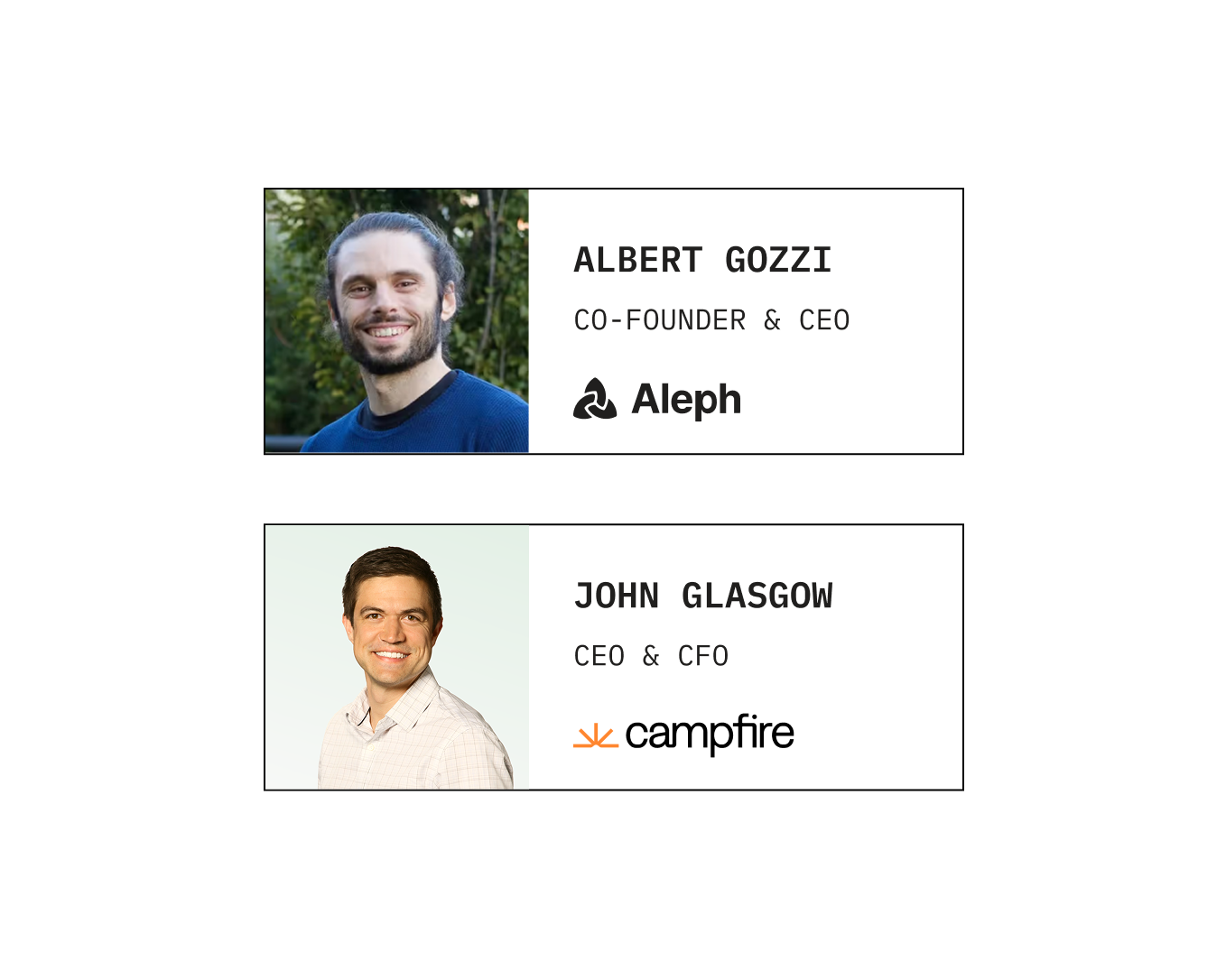
Watch as Albert (Aleph) and John (Campfire) collaborate live to “vibe code” a finance workflow from scratch. Starting from a simple idea, they’ll show how to structure prompts, iterate in real time, and transform a rough concept into a functional, repeatable workflow that finance teams can actually use.
This session is designed for finance professionals who have experimented with AI but haven’t yet operationalized it. The focus is not just on generating outputs—but on building workflows that are consistent, auditable, and scalable.
Join in on the discussion to learn:
- How to go from one-off prompts to structured, repeatable finance workflows
- Where AI actually works in finance—and how to avoid the “mostly right” trap
- How to break down finance problems into steps AI can reliably execute
- Live examples of building workflows
- How to validate and debug AI outputs to ensure financial accuracy
- When to use general LLMs vs purpose-built tools to operationalize workflows
- A practical framework for turning AI experiments into production-ready processes
Plus, much more...
Watch the webinar
Register to learn how finance leaders build their first AI workflows—moving from prompts to structured, reliable processes that power real finance use cases.
Chapters
- 00:00 · Introductions and agenda
- 06:05 · What vibe coding is and when to use it
- 09:41 · Claude chat, Cowork and Code compared
- 12:36 · Live build: sales commission calculator
- 29:41 · Auditing the commission app's math
- 33:57 · Live build: month-end sales tracker with Slack
- 44:15 · Sharing, hosting and iterating on apps
- 54:10 · Q&A: security and build vs buy
Read the transcript
00:01 Hello, everyone. Thanks for joining this webinar. John, great to have you here as well. Thank you. Thank you. Really excited. I think it's our first webinar together, so it's gonna be a fun one. And it's just gonna be like we're gonna be sitting next to everybody joining us and we're just gonna be vibe coding together and building together. And I'm excited to learn from Albert as well. So thanks for being with Likewise, vibes are good, vibe codes will be better. So we'll do both. If you're in the audience, we're gonna start in just a second. If you wanna post where you are dialing in from, we always love to see that. So feel free on the right hand side, if I'm not mistaken, you should see a chat and okay, we have Joaquin, wow, Charles from Melbourne. What time is it in Melbourne, Charles? I feel like it's probably, late for you. Three AM. Wow. And do you stay up just for, to I imagine not for me, but probably for John or where you're concerned.
01:09 Yeah. We got people ready to vibe code down under. This would be fun. And I think if anyone wants to share, if you've built your own little app before, if this will be your first time, love seeing the locations and just curious where everyone's at on their vibe coding journey as well. We're still getting a lot of locations, John. But in the meantime, one of the things I'm noticing is that we actually have a mistake in the presentation that I'm sharing. I know, maybe Lucas, can you share? Because if you're here for a different webinar, this is the moment to exit. If you're here to build your first finance workflow with AI, you're in the right place. But I realized that I actually by go to this presentation and I didn't notice that like it is overflowing a little bit to the right. So we're gonna start, but maybe we should change it. And like, can you change the title in the first slide to just be build your first workflow with AI. So we're gonna buy the presentation itself to start to fix it while we wait for more people to come.
02:28 All right, here we are. So we're fixed now. And I'm seeing here a few, Tom is saying, John, first time if it works, many failures. That's how you learn, Tom. And that's the whole point of this. I always like to say, you're here, like you're already ahead of the curve in some way, and you're like tinkering, you're trying, that's probably one of the best ways, if not the best way to learn about AI. So I think it's been a few minutes. I feel we're ready to actually get started. So let me share again and maybe just to introduce ourselves. I'm Albert, co founder, CEO of Aleph. Aleph is an AI native FP and A tool. Before starting Aleph, I was a management consultant, worked with CFOs quite a bit there. And then I was COO, CFO of an early stage startup. So I was in what it's probably many of your shoes as part of finance teams.
03:38 And I had ideas for how to make it better and that led to starting Aleph. And it's a pleasure to be joined by pipe coding webinar veteran, John. I think you're probably, you've been done many of these, would love you to introduce yourself to the audience for those that might not know you. Yeah, what's funny is it all started, I'm actually the CFO here at Campfire as well, but all started as I was sharing like at CFO dinner, just like, hey, here's I build apps internally. And everyone's like, can I just watch you? And so then I would just like grab a conference room and like some CFOs would come and I would just show them what I'm doing. And then they're like, wow. And so it's like, how do we kind of bring this to the masses? And so just started to share my journey. I'm still learning a lot every day and excited to share what I've learned to date and kind of just candidly share challenges vibe coding as a finance leader. I see over half of you have never vibe coded anything according to the poll. So we'll be sure to show how to get started and for those that have or ten percent say they've tried, we'll help you troubleshoot today. And if you have, we'll help you take the next step. So I think to Albert's point here, we're just here to share and help folks take that next step.
04:53 That's good. All right. So what's in today's agenda? We're gonna start with a very quick bytecoding intro. Like some of you might not even know what bytecoding means. I certainly did not know that long ago. Then we're gonna go into actually building again, the best way of learning is by doing. So we're gonna have first John build by quoting app around sales commissions. And then we're keeping the sales topic. I'm gonna talk about some sales forecasting thing. So we have some good reactions to the topics here from Rich in the audience. After we do all of that, we wanna leave plenty of time for Q and A. And we have a few, like a bit more material around like what people are building. We can answer some questions about the left and Campfire, but really if you have questions and you have things that are interesting and engaging, we'd love just to end with your questions. All right, we have a CRO in the audience, John. So we'll need to like, be, we need to wear our sales hats as well.
06:00 We cannot just, vibe our way through it from the finance side. So David, keep us honest and keep us accountable for these being proper processes. All right, so what is by quoting? I always like to start with this as an intro for us of you might not be familiar. This is a tweet or a post in X, maybe it's not a tweet anymore, from Andre Garpati, who was one of the co founders of OpenAI. And this is the first register moment where someone used the word by coding. It's very long, I'm not gonna have you read everything, but the main idea is you describe what you want in plain English and then the AI writes the code for you. So you're guiding, you're reviewing the output, but you're never touching the code. You're interacting only with words. This happened a year ago at the moment of the screenshot, which was a couple of weeks ago, has five million views. It's only gotten better and more relevant since, but it all goes back to this. And I think the version of live coding in finance can make many different ways, make things slightly different, but the essence is still the same.
07:12 When I think about, can I vibe code this? I think that's like a question that I get a lot. And then to me, it's less about the topic, it's about how deep you need to go. And I have this internal framework that I use myself, use with like my team as well. There is these like different levels. The first level of something that you can live code is something that is very, very simple. You wanna, something that might be probably a one shot. You wanna paste information to a chat. You don't need a lot of precision. You need a directional answer. You're using it once and throwing it away. This is equivalent of before I probably used to open a spreadsheet, do a bit of calculations and then save it as book one or never touch it ever again. I think CloD touchBT might come to replace some of that. And again, for many use cases, still a great use, still a great way of working. There will be moments where maybe it's there's too much data. So just pasting it makes it go very slow. You wanna start sharing with other peoples, or as John will show in some of the sales permissions, you're building something that you're gonna start using monthly or a different cadence.
08:27 And you wanna start making it be more verifiable as well. You wanna be able to trust it more. You're gonna be running sales commissions based on the process that Johnny's putting together, you probably wanna be able to run the same thing twice. And for things like that, like tools like Cloak Core start to be a bit more powerful. And then level three would be now, only want to grab data, you want to connect it to different systems, you wanna do something that will pass an audit, you wanna have it always running. That's where engineers at both Aleph and Campfire, major companies would use things like plot code and cursor for, or that's like, things that you can use a purpose field tool that you say on your hood like Aleph or Campfire. So today we're gonna do a little bit of these first two levels and we're gonna use a combination of all different Cloth apps. I think like, John, you're using Cloth Cowork as well this time Yeah, that's exactly it. Yeah, so we're using Cloth Cowork that I think it's not, again, the simplest you just open Cloth and you paste the question.
09:41 But as Zoom will show, it's not rocket science either. And anyone can start working and there's a lot of benefits to that. Claude, John, maybe like question to you. How would you think about when to use Claude versus Claude CoWork? Yeah. It's a great question. So Clod has three forms now, and Clod is the Anthropic AI platform. If you wanna use Cowork, you do need to download the product to last I checked, it's not available in their web browser version, and a CFO was like, wow. I didn't realize the disconnect. So I'm just kinda sharing for those at the beginning of the journey. But then chat, there's so then there's chat, co work, and code. Chat is really if you just have questions for it. Like, hey, we have an accounting question, according to the accounting standards, what's the right way to do this? Or today someone was like, we have a complicated, contract, like what's the ARR calc? Like what's your obviously it's a non GAAP metric as many ways to calculate ARR but like you know here what's your recommendation on how you calculate ARR for this.
10:51 Co work is for more for like building things any sort of artifact whether it's a like a Google Doc, whether it's a slide, whether it's like your own software app, it's really for building. And it's sitting on top of the last one I'm gonna mention, which is Claude Code, but it abstracts away any sort of the complexities we just tell Albert, more of like a coding interface. So I would say we'll see in a second, it's just for like conversational chatting, but it'll build for you. And then code is arguably the more advanced one, more frequently used by engineers. Well, sometimes ask you to go into the terminal on your desktop or kinda do something a little more advanced. So for me, my recommendation for the half of you that have never built anything, start with something like Cowork or Replit. And then for those that are looking to take the next step, you can go into a cloud terminal, you can go into cursor, you can go into more advanced use cases, but to start, would go into a replica a coworker. Yeah.
11:58 And I think like maybe one of the things is I have seen also people that like jump to something like cloud code too early. And I would encourage you to, there's a lot of things you can achieve amazing things, with Cloud Code work and even with just Cloud. So don't feel the need because, engineers at your company might be using it. Don't feel the need to like have to jump into Cloud Code. And I think it's about picking the right tool for the job in some way. All right, so with the real time introduction, I think we wanna go straight into the action. So John, the stage is yours and we'll have to you to buy code. And by the way, while John presents, I'm gonna be keeping an eye on the chat. Feel free to, we talked before about these, feel free to interrupt as well, feel free to ask questions. LLMs are slow. So there's a bit of like, we have pre made things, but it's also good to answer questions while we let the LLMs grow. Yeah. Exactly. Okay. So everyone can see my screen. I am in a desktop version of Claude.
13:09 You can go to their website and you can download this. Just a couple housekeeping items. If you wanna connect it to different apps, so we'll show that, in a second. But when you go into settings and you go into connectors, can see I've got Campfire connected of course, but all sorts of connectors here. So you can go into the store and you can look things up. So if it's like a CRM, you wanna integrate, you can see HubSpot. You can see Salesforce is not in the store yet. So if you see something that's not in the store yet, sometimes they just never applied to be in the App Store, and so you wanna go to their website. Sometimes it gets a little technical, but actually asking Claude to browse the web and find the what's called the MCP connector. And then at the bottom, there's a way you can add a custom connector and you can add things that are not in the App Store just yet. But once you go ahead and set them up, I think things I would recommend is configuring them. Do you want it to block the ability to write? Which means you might wanna never write to your ERP or write to your systems. You wanna have a read only just to protect the data.
14:23 Do you want it to ask for approval? You can of course remove access for them. So now that we, fired up a few connectors, what we're gonna do, and as noted earlier, there's chat, there's co work, there's code. There's like different settings here. And what we can do is we'll just go ahead and fire up. We're gonna build a sales commission calculator today off of the sales team's comp plan. And so I just start chatting with it. And so we're gonna upload our current I'll just show this here. I took Aleph and Campfire, and the company's name is Alephire for lack of a better name. And we can go in here and we can grab our comp plan. And I'll just go ahead and pull up the comp plan. I actually asked Claude to write this comp plan. So if you don't have a comp plan yet, you can actually start there. I'll skip that for today, but Claude wrote out this great enterprise sales comp plan for us. They do a good job of talking through the corner cases, like how do we handle mid year hires?
15:34 Lots of detail, looks very professional. We're a lean team on RevOps. So I think just getting Claude to just take a pass for us, know, at adding some things like governing law, confidentiality, windfalls. We, of course, can edit it and give it some feedback, but we'll go ahead and take it as is. And can you take this comp plan and prepare a software s two calculate? Oh, Hugo is asking in the chat, John. I know if Lucas on the marketing team, if there's a way to share files in the chat. People were asking where you could like attach the actual comp plan in the chat if people wanna follow along. Absolutely. Let me you know what? I should just let me do this super quick here. We're just gonna knock this out together. I'm going to create a new cloud folder with these.
16:48 This is the live, the really live version of this. We're going live as promised. You're getting demand also, John, from Alephire merch, which should be, know, for the next event, we need to put together a custom merch. Think that's a that's a great call out there as well. Let's do it. Let's see. I'm gonna share. And anyone with the link? Okay. Let me hop back, in the chat. In the public chat, I just put a Google Drive link that has our comp plan. And just like some sample commissions this is totally made up data and so you know nothing sensitive or confidential here. I also use projects a lot. Yeah. I will I'll talk through projects in just a second. Let me get this one going, and then we'll hop into projects. So I'm just you know, as noted earlier, you really just chat with it.
18:00 Take this comp plan, prepare software for us. I'm gonna take the output. I'm gonna take our Q4 sales team performance. I'll just quickly show you that. This is in the chat, in the drive. And what we've got here is rep performance. And then we've got all the deals. And again, totally made up data that Claude generated for me. And so what I'm gonna do is I'm gonna drop this in. And so we got our comp plan, and we got q four rep performance. Take this comp plan for a software. I also included the file upload that I will be giving you for future quarters. It's gonna build our journal entry at the end, show rep performance at a deal level and all calcs. I think one thing that like, I've spent honestly maybe a year of my life in spreadsheets, a ten year corporate finance career. And I really like checking the work. I like auditing all the cells.
19:07 I think I've broken the F2 key in my day from just auditing cells. It's hard to audit these vibe coded apps because not all of us are reading Python and JavaScript. And so I'll just ask it to really show its work. And as it's working here, I'm just gonna check the chat, But there is a bit of waiting. So, one common thing people tell me is like, hey, I don't have time to learn AI. I'm dual screening right now. I'll always have like clawed up on one screen. And then I'll have I'll be working on kind of non clawed things on the other screen. And you can see here there's a bit of waiting going on. Sometimes it'll prompt you questions. And so you wanna kind of keep checking on it. So I try and keep the screen open, but ultimately like there's this is a window you can easily kind of keep working on other tasks maybe you're just like even in a meeting chatting with other people while you're waiting on it so can you please copy the prompt here yeah Absolutely. And feel free to make your own.
20:15 I mean and while it's going here, I can give it some feedback. Go to campfire dot a I and use our formatting and color palette for the app. And it's gonna go check out our website, and it's gonna find some of the colors. There's some greens on there. It's gonna grab probably some oranges. Could we just put the docs in the local drive? Yeah. For this exercise, just drop everything I put in that cloud folder onto your local onto your local drive or just drop them into Cloud itself like I did. We got some questions coming in around Sonitor Opus. You can see I'm running Opus four point seven. For beginners, I always recommend starting with the most powerful model. The last thing you wanna do is be frustrated and say, oh, it got the wrong answer. Or, this is not what I was looking for. I think once you really hit velocity and scale and you're looking to just better optimize token consumption, then I would start to think about which model am I running? Do I wanna be on a light fast model? Do I wanna be on a more powerful model? So let's see what is coming up first.
21:28 It's going through our branding. Clear picture of the comp plan, ten reps, thirty eight deals. A question, John, like, I think happy to address myself for you, but like, how would you once you build this, how would you distribute it to the reps? Yeah. Well, on a comp calculator, I mean, at least here, we don't really distribute the tool to the reps. I think we just calculate it. We will share what you can create another tool that says, can you create a rep level can you create a rep level view of this and, send to rep in Slack? So as soon as I click approve, it sends everybody at Slack paying with their own commission and their own calculation. I would you know, the version we're gonna build here, I'm just gonna run locally. And so I think that's definitely the most secure way to do this because it's just running on my own desktop.
22:37 And you're never feeding any kind of sensitive data into the internet if you're doing that. If you wanna build a hosted app, I would and so you can see here it's grabbing it's grabbing our color palette. I'm mentioning it's grabbing a dark navy. Oh, yeah. It's because I Yeah, I'll give it a go through. Go for it. No, I was gonna say like going around the sharing, I do think that that's one thing that I would say Clobb is not great at. Great. Yes. That's probably the So today we'd need to build workarounds such as, have a view per rep and you download as a PDF and you share it separately. You kind of like need to build the sharing a bit more into what you write code as well. I just think that's the part where the tools are very bytecode specific, might make it a little bit easier. So in the presentation I talked about Replit, but like Lavagold, and there's like a lot like those that would probably solve that.
23:43 If you have company wide licenses, you will solve putting the app in a URL that you can share with others and you can control who has access to more like Google Sheets. So not a great, that part hasn't quite been figured out. It's exactly right. It's a little bit of work. Yeah. John was saying, thought this was supposed to be ultra fast. You talk about speed? Yeah. I consider it was pretty fast. I mean, it's building a piece of software for us in, I don't know, five minutes, But I totally hear you. So how I think about it is I my order of operations is quality, speed, cost. So I think this session is meant to be more of like, let's just make sure we get the right output. And so with quality and like with the most advanced models, you're giving up a bit of speed and you're giving up a bit on costs. I think once you're comfortable with like how you get the best quality and you're using it a lot, then I would start to think about speed, John.
24:54 And then I'd start to think about optimizing for cost as kind of the third one to focus on, but just for this exercise, we're just focusing on quality. So I think a couple things I'll call out while this is running, you can go do other things. So I've got a project here. Someone was asking about projects and this is a way of like housing a bunch of items. And so we've got and this was just you know, I did this earlier today and just showed a sample project that we went and built a project. So now whenever I ask a question, it's referencing all the files and call essentially this folder, to the groups, delight. Do I wanna kinda go to a Haikyu four five? Do I wanna go to do I wanna go to Sonnet? Otherwise, I'll just stay in four seven. Scheduled tasks means you can have it recurring and running and running. And so this would be, like, I wanna like, something, you wanna do it like, here's an example, like a daily briefing. I actually use it to check all my Slack messages.
26:01 I use it to check my emails. It can even organize your email inbox for you. There's a lot of things of just cleaning, but also even just maybe it's gonna go through a folder on your desktop and create invoices for you off of PDFs. There's a lot of like, if there's any sort of like monotonous work you're doing over and over again, then you know scheduled task would be a good one because you can just go ahead and like even an hourly or you know weekly or any mode you want. But checking the news you know is an easy one every Monday morning, check the news for us. Give this one a second. And while it's going, I'll just show you kinda what it did kick out since it sounds like some folks are here's what it built last time I asked it to do this. So we've got the setup here and I can't go to the other tabs until I drop in my file. So what I'll do here is I'm gonna drop in our q one team performance And what we can see here let me grab hang on here.
27:16 Let me grab another file. Let's try again here. There we go. So if you end up changing the file format, I end up changing the spreadsheet a little bit, so this one is gonna work correctly. Once you drop in the file with the performance data, and again, I'll just kinda show that file here. So here's everybody's performance. And what it did was it took that comp plan that I gave it and it built out. So Priya is on her way to P club. We got Marcus, it's an accelerator, folks below quota. You know, some people underperforming. I have found they will hallucinate. So I created some checks and balances here just to make sure that it's like, it's tying things out. So think about like how you think of, how you use Excel and in Excel it'll be like, okay, take this total and link it to this total on another page. Like, if true, then we're good. And I try and have it create a lot of like checks for itself, never perfect.
28:30 You can also like audit, You can audit a single person. So let's look at Priya. We can look at Priya's two deals. We can look at the calcs. We can look at the payout and the commissions. And then at the end, we got this journal entry. And so I'd asked it to create the sales commission and all the deferrals for us. It asked it to amortize it over the course of everyone's contracts. Does it balance? We, of course, need our debits and credits to balance. And then it's walking through the amortization. Here's all eleven hundred rows of the JE. We can download the JE that it created. So here's our eleven hundred row spreadsheet with the full kinda amortization over the life, and you can see it's posting the deferred calcs over the life of every contract. And I can post to Campfire, so we can link this up to Campfire via MCP or API. And then, of course, just downloading it to audit the work.
29:41 So let's go ahead and check on Claude's One comment. Yeah. One comment, John, can you go back to the app? Because I think Marina was asking, talk more about how you audit results, ensure accuracy. Those things actually work, like asking the model to hurry up. But if you can go a bit more, a bit to the page and go to the checks and balances, or sorry, go to the rep performance. Because I think this is exactly, Marina, what I would do to ensure accuracy. Wrong way to do it, or the way that it's very hard to audit is I want an app that I drop a Excel file and it gives me the final number. It gives me the eight thousand nine hundred that you have there in the bottom right. Great way of doing it is what John built here, where you have all of the breakdown of like how the math has been calculated. I think it's not, you don't need to like grab a calculator and like redo all of those. If you can see, okay, I see that it's doing four hundred and thirty seven point five ks, that is like the total amount times ten percent commission.
30:55 I can like see the math and see the breakdown here. And that makes me trust it much more. So I feel like it's about data and it's about things like the checks and balances that John built. Yeah, I will audit its work. You can see it's even essentially doing the Excel formulas here, min of H and G columns. And we can go back to the spreadsheet and we can tie out like the min of H and G times ten percent, is it four thirty seven five, looking through the bands on the acceleration. And so I you know, even like there's a lot of ways to spot check it, like Brandon, go look at the new ARR per rep. Is Brandon like actually kinda at the bottom? Is Priya actually at the top? And then doing deeper dives as noted here. Here I asked the model to build a bunch of checks for itself but ultimately you know what you can do is just what we were talking about downloading the full report And, here's all the and I can ask you to format it. But, essentially, here's all the math.
32:05 And we can, of course, just go audit the spreadsheet version if that's where we, where we feel the most comfortable given we're all finance people. I'm answering a few of the questions there. Yeah. So Eugenia was asking, can we live edit assumption or rates or other data? Absolutely. Since it's running off of the comp plan, maybe a best practice would be to update the comp plan and then feed the corrected comp plan back to Claude because then, the comp plan you want it to tie out. Otherwise, yeah, you can just go give it feedback directly. So thanks everyone for the patience. But, essentially, here's what we built. I'll go ahead and pull it up. And oops. Let me do what did we do here? View the tool. Show in folder. Oh, I don't know. That's weird. Oh, I did build, a full it build a full spreadsheet. Yeah. We were building a software app, not a spreadsheet.
33:20 I'll while you go, I'll We'll get back to the other one. Yeah. But I think that's part of, I mean, maybe the spreadsheet actually works great. You know, I would say, some people in the chat might take the fully functioning spreadsheet over the software as well. So it's not wrong. Yeah. We'll circle back. I'll show this the software at the end. Essentially, it's the same prompt as what I it's the same output as I was just showing on the software side. This is a spreadsheet version of that, but at the end, we'll pull it back up on the software. So I wanna save some time for you because you got some really cool stuff to show as well. So I'll stop screen sharing while that's rerunning, And I will drop the HTML output of the one the software that I just showed for the group so folks can folks can check it against what they did. All right. So let me share my end. So we're gonna start, we're gonna do something like a little bit like simpler. There is we have a data dump that, learning from before.
34:35 I'm also gonna paste in the chat right now. But this is an Aleph download into Excel. It doesn't matter, but it's a number of open opportunities that are set to close in May. So next month, and you can see each of them have things like, who's the rep and like what ARR am I expecting? So one of the things that we do internally is we always want the AEs to keep our HubSpot updated. But we know that in the end of the month, there's a lot of like conversations happen super fast and we wanna have a very quick pulse on how deals are going or not. So what I'm gonna do is I'm gonna create kind of a live tracker for how are we doing towards end of month. I'm gonna start from here. I think like instead of attaching the file, there was a question around this. What I'm gonna do is I'm gonna actually create like a folder. You can see here in my desktop, have prior webinars. This is one I did it pre webinar just in case, but I'm gonna start from scratch. And it's gonna ask me, can I change files in this folder? I'm gonna say, go for it.
35:53 And if you see what the file, this in my computer, it just has access to the Salesforce opportunities Excel file. So what I'm gonna do is, can you build an artifact? Artifacts are the name of these HTML pages that you can open in Cloud. I'm purposely asking for that just because we saw John getting a spreadsheet. So I'm like, I probably wouldn't necessarily ask for this, but now I wanna force it to help me with my end of month sales tracker. I want to pull all the opportunities for from my spreadsheet. I mean, don't use HubSpot because that would be like real left data. We don't wanna do that. And build a tracker where we can see how we're trending in terms of ARR. I want to see the ARR broken down by all deals, all with more than eighty percent probability to close, same with sixty percent.
37:16 And then the part that is interesting is I also want to be able to ask our AEs for updates in Slack using the Slack MCP and get their input to change their numbers and see the forecast change live. So I'm gonna dispatch these to start working and hopefully it's a little bit faster, but we'll see how it goes. But I think in the meantime, I'm gonna answer some questions, but the idea is I'm gonna build, I'm expecting, a website, I'm expecting an artifact, but I also want to be able to connect to Slack and integrate with that. And the way that I actually set that up is what John covered early on, They say I connected my connector to Slack and actually connected to a dummy Slack workspace that we have for doing demos. And you can see, I gave it a little like, YOLO mode to read a lot of things and create messages.
38:35 And it's asking me a few questions. How should the Slack update workflow work? Let's do a bulk DM ready. When they respond, how should updates flow back? I would say, I will ask you to read their responses and update yourself. So I want to do two, which were the tiers. Let's say all open deals, this and that. Which month? May. All right. So we're off to the races. Let's see if there's any questions. Yeah, I think Jeremy has a great comment that is typically I would probably be less, we're being more directive, John and I, in the way that we write the prompts because we want to lead it with like less, it's already slow as is. So we want to try to get to something with like less back and forth. But I do think like Jeremy's comment there of, starting with the problem rather than the solution and letting Claude ask you the right questions to set things up.
39:49 I think it's definitely the right approach and one that I would use personally. So I do think that in the interest of time, will cheat a little bit and I will like put it in the oven and be able to like take the fully baked version based on what we have over here. One of the things that you can see is problem that I started with when I ran this earlier this morning, to test the way it works, It's very clear and it's very similar. I would say it's probably the worst job here of like putting these together. And I think this probably took five to seven minutes, But once we're there, this is what I got, which is like, I got a tracker where all of the deals that I had in the spreadsheet. So if I'm here and I go to, I don't know, Sunnyvale Semiconductor, that is deal one hundred forty six. Okay, I have the opportunity number.
41:10 I just wanted, like all of those track one to one. And then what I can do is, Jordan has twenty deals. I wanna ask Jordan for the update on those twenty deals. I can say, okay, I wanna post to Slack. Once I post to Slack, I go to Slack and you can see here, a minute ago, I am asking send using Clog. Hey Jordan, these are all your deals. Are there any updates? And I can come and say, we have a lot of these names are terrible. But we have a lot of these Winston Salem manufacturing. And we can say we lost all of the deals with, so the probability should be zero, which like hopefully I know, I remember David, was it you that are you're like a CRO? Hopefully this feels like a much lower friction for like quick updates, way of asking AEs for their input. And in this case, of course, it wouldn't be me.
42:21 It will be the AE replying. And then what you can do is you can come and you can say, actually AE's replied more. Can you check their replies and update the numbers? And then what we do is you would go and you would go and it will update the numbers for like these Winston Salem. So I would expect that when you finish closing, you can see here, like we had a filter of like the ones that were updated, but like in a minute or so, I'm expecting Jordan's probability, like Jordan's numbers to actually go down because we edited that. I'm gonna let it run for a little bit and like see what it's doing. This one is working based the one that like we launched next.
43:37 And then this one is coming and it's saying, Jordan Rivers, we lost all the deals with Winston Salem. So the probability should be zero. And now it's applying those edits. So if you go back, you will see that now our number is like five point nine. I would expect that when it finishes editing, our forecast will go down and you will see like, Jordan's number also change here. I see you active. I see you very, very active in the chat, John. Any questions that would be worth discussing? Yeah, I think a few earlier around like, do we connect this to other systems? There's some good ones around like, how do I let the sales team, like plug in their own numbers and see like how their commission's gonna come out? So you might wanna create a different interactive version for them because this version that I had at least built was more for like, calculating the commissions for the whole team. But maybe you wanna have a rep specific one.
44:50 And so they're sharing the HTML file that they can run locally and just pull it up like we're doing here, or you can host it. And there's a, as Albert mentioned earlier, Cloud Code is a little tricky to host things, Replit or it's called Netlify Drop, it just lets you drop the file. Those are of course, unsecure. So you never would wanna have any sort of like sensitive rep level data. But if they wanted to go on the web and type in their own numbers without any sort of like PII or anything you're worried about, then, at least me personally, I'd be okay with our commission plan being on the Internet if someone were to find it. But, you probably would wanna put it behind a password or some level of security, but I'll hand it back over to you. Yeah. And I would say like, this is very companies. So internally what we do is our CTO helps people like think through the best way to deploy it. And again, we use Replit for example. And I think that's an easy way to be able to, share some of these. But you need to think that like all of these limitations and all of these which very much feels like workaround, they won't last.
46:06 I think like if we're talking about it, if we're struggling with it, know, Anthropic, OpenAI, like are aware. So I think, again, it's a bit of a reminder that you are like an early adopter of this type of technology and there's a bit of like letting the tools and the software catch up a bit more. Right, and here we have the one that we build. As you can see, I remember the name of whoever was frustrated with speed, but like, it is a real thing that these things take time. There's a lot of things that you can do for example, like here, you see that you have some of the like icons. The other thing I do is, so this one was blocked on my input. Something that helps is, and you see now, like, Jordan's number actually dropped and switched. So I can use it now as a kind of a copilot where I have these on the side and I have my app on the right hand side. But yeah, I think like this is why getting notifications, like setting things up and like accepting that it's gonna take time and be async is probably the best way to go.
47:31 Yeah, I think like John's comment on the chat, if you get an issue screenshotting it and like asking back to Cloth, always interesting. Maxime is saying, when I tried to open my app in the browser, it says location is not available. I would probably say, Maxime, feed that back to Claude because I actually don't, I know if John knows. And that's kind of like one thing that would be good of instead of opening in the browser, do I'm doing here where this is a browser as well, but it is inside Cloth. So maybe there's something in your configuration like a firewall or something that's making it fail. So you can always open them inside Cloth themselves. Any more questions? John, how is your Vagaboded app looking? Happy to hand it back to you. Sure. All done. I'm happy to pull it up for the group here. Do that real quick.
48:57 So here we go. It built a bunch of tracks. You can see it ended up with a different output even if I, like, very slightly kinda changed the prompt. But deal register, similarly, is it a new logo, is it strategic, maybe wanna export the CSV, it looks like this version added a search function. As a reminder, here was the other one that I built. And then, deal commissions for everybody. It looks like it's at a deal level. And then the journal entry, assumptions made, you can see we can go in here and edit these. But I typically looks like we passed all the checks. I typically just have it draft a first version of it, and then I start giving it feedback. So the comment earlier of like, hey, I wanna allow reps to go in there and see their own, then, maybe we just go in here and just say, like, I want to build app for reps to calculate their own and see their own potential commission.
50:10 And I can't spell, but that doesn't matter. Can you add that? And I would just keep giving it feedback or you don't like the formatting or you wanted to do more checks and balances, just keep going. Even while it's working, you can keep adding more things and it'll just kinda add it to the next response. You can pause it if you got it wrong. As noted earlier, you can change which model it's running to speed it up. But, yeah, that's a that's a quick tour of just keep giving it feedback until you're happy with it, and then you can go publish it or distribute it as an offline app for folks to run locally. Yeah. And I feel like that's a great call out that the more the more you can build iteratively, I think the better it goes. Like, you try and do twenty things at the same time, like with one click, one, you're the thing that like Chloe is making like hundreds of decisions. One that makes different from what you will do might land you in like two hours later or something very different. If you start very small, check the work and like notch in the right direction, much better chance to get where you want.
51:23 Just for the questions on Nick, was there a difference in how the new app handled accelerations? Yeah. I mean, it should let me take a look here and kinda I can just rescreen share. But, yeah, it had a it walks through. Let me pull this back up here. But it's definitely walking through the commissions and the acceleration on it. So let me just do that here. Here was the acceleration, and this was out of the comp plan. And for folks wondering, this is just running locally. So this is the whole app right here, Alephire commission tool, HTML. And so all that you need to do is open this file. And here was the other one I was kinda showing earlier that you just open the file locally. And this here is a local this is not on the Internet. So, like, I can't send anybody this link. It's not accessible. It's purely just opening this file on my own computer. So I can't have other folks use this current version.
52:37 As noted earlier, kind of a couple steps to learn about offline and literally just asking Claude how to do this is like, if you wanna host it on the web, then ask Claude what's a great way to host this on the web? It often tells you Netlify drop is one, at least that's what it told me last time. And it walks you through the instructions. And then the other next step for everybody would be, how do I connect this to my CRM? How do I connect this to my ERP? Because then we can automatically, the big power over a spreadsheet, of course, visually you'd argue maybe it looks a little nicer. But I think the big the big opportunity here, and I'll just kinda redrop. That was a JE. Let me drop in. Yeah. I'm kinda losing track at this point, which one I had started with. Here we go. Spreadsheets will give you the output similar to this one. Like, we'll all have, a separate tab. But what we can do with this is like we can you once I click approve in this app, I want you to auto post it to my ERP. Or can you go pull the data yourself out of our CRM as opposed to me giving you the data to the CRM.
53:51 So connecting it to different systems allows for the automation that I did not previously get when I was doing this in a spreadsheet. So I just for the couple next steps for folks to just ask Claude how to take those steps with your app, and it'll help you take the next step in the journey. Alright. We have six minutes. I think we can keep doing q and a if you have more in the chat. Enrico was asking, how do you treat security vulnerabilities? How do you prevent security vulnerabilities? It I mean, it I'll say it's a valid concern. So I think depending on the on the data, particularly if it's rep level compensation data, incredibly sensitive. I if you're gonna actually go publish something, I you know, if it was me, I would just talk to your own security team or your own engineering team and ask. Like, they'll help you host it in a secure hopefully, you have a single sign on or you've got an environment where folks can go access your app behind some sort of employee.
55:05 Like, you can ask Claude to add Okta, to your app if you're on Okta. Ask it to add a email kind of password setup configuration. But just be very careful publishing. I think what we did today was just running it offline, and that is certainly a more secure environment. Yeah. Always asking a good question that I have thoughts, maybe John, you can also answer this. How would you go about building your own app versus try to see what's existing in your stack? So your sales commission tracker, maybe like Salesforce does have a version, like a way to calculate commissions. Yeah. I would say like we often look for, we look at like the Alephs and the Campfires of the world payroll, like there's categories that I think are like more of like a platform that you build on top of or you build around. So I think the question is like, would you replace your CRM would you vibe code a CRM or would you kind of just vibe code a sales commission tracker?
56:19 As you get more complex, we're talking about hosting things, we're talking about letting reps log in and confirm numbers. At some point you get to a level of sophistication that maybe vibe coding is not the right approach and you wanna move to like a professional software that someone else is maintaining and handling SOC one and SOC two for you. And there's kind of lots of things you'd wanna think through there. I think this is like, if you're doing in a spreadsheet today and you're the only person doing it and it's just for yourself, like what I just showed, I think like what I just did would, candidly save me a lot of time for our own calcs. So I think that's a great use case for this. If you're trying to connect it to your bank accounts or you're trying to, build your own payroll app, I would I would think twice from a security perspective. What are your thoughts? No, I think I agree with everything you said, John. And I think like part of, go back to the, if you're a pipe coding in this, you're an early adopter. And I think again, John and I are bytecoders, also like CEO of startups that are building software. I look at a lot at what people are bytecoding using Aleph data, and I use that to inform our roadmap.
57:35 So my hope is if you're by quoting something that is related to FP and A, you should, I very much encourage it. We'd love to hear about it and maybe we can build a productized version that like uses AI the same way or more and solves all of the problems around that. So I do think that it is a bit of the hopefully over time, people will take care of having experiences that like match or are even like better than you having to like call your own things. And someone asked for the HTML from the session. I threw that in the oh, I'll throw the new one in there too. Yeah. I'll throw them both in. I'll also add the prompt to that folder and it kinda all artifacts from today. Albert, maybe I'll have you throw in all your stuff just for everybody. We're just here to share. You saw I made a mistake. We're all learning. I think my big advice is like mistakes will happen. It'll get it wrong. Just keep going. Just keep giving it feedback. You'll quickly get through it. You got one question from Dalton on Aleph Connector for Claude.
58:45 Yep. Yes. It's a same as compiler. It's like a via MCP, so you can connect Aleph to Claude. Amazing. Well, I know we're out of time. Thanks all for joining. We try to just keep it raw, keep it candid. You saw we just kind of went live. For the half of you that had never built something before, hopefully you have now. This was all for you and for those that have, hopefully you learned something new. But just want to thank you all for joining us. This was a lot of fun. Cheers. Thank you everyone.