


Get FP&A best practices, research reports, and more delivered to your inbox.
When your headcount plan vs actuals agrees on heads but not on cost, the gap is almost always one of four things: timing (raises, promotions and start dates that hit the HRIS before payroll catches up), transfers between departments, benefits and payroll taxes mapped to the wrong lines, or FX on salaries paid abroad. You close it by joining the HRIS roster to the payroll register and the general ledger at the employee level every month, then sorting every difference into one of those four buckets.
Most teams reconcile at the department total instead, which is why the same variance comes back every month. A department total can be off by $40,000 because one engineer's transfer landed in the wrong cost center and another's raise posted a month late. Netted together, neither shows up. At the employee level, both are obvious.
Bottom line: Reconcile headcount at the employee level, not the department total. Use the HRIS for who and where, payroll for what was paid, and the GL for what was booked, and explain every gap as timing, transfer, burden or FX.
Which system is the source of truth for headcount?
Each system is right about one thing and wrong about the rest. Decide which one wins for each question, write it down, and stop re-arguing it at every close:
- The HRIS owns who and where. Employee ID, department, cost center, location, manager, effective dates for hires, leavers, transfers and pay changes. It's the source for heads and FTEs.
- Payroll owns what was paid. Gross pay, bonuses, commissions, employer taxes and benefit deductions, by pay date. It's the source for cash cost.
- The GL owns what was booked. People cost by account, department and period, including accruals. It's the source for the P&L number the board sees.
- The plan owns what you expected. Approved roles, start months, salaries and loaded-cost assumptions, including open roles that don't exist in any other system yet.
A headcount reconciliation is just these four views joined on one key, which is the employee ID. If your payroll provider and HRIS use different IDs, build the mapping table once and maintain it; every other step depends on it.
Why does headcount tie but people cost doesn't?
Four causes explain nearly every gap. Check them in this order, because timing is the most common and the easiest to confirm.
1. Timing: the HRIS and payroll disagree about when
A raise approved on March 15 with a March 1 effective date shows up in the HRIS immediately, but payroll may pay it, with a back-pay catch-up, in April. Start dates and terminations work the same way: a new hire who starts on the 28th may not hit payroll until the next cycle.
Payroll calendars add their own noise. A biweekly payroll has 26 pay dates a year, so two months have three paydays instead of two. If the GL books salary on the pay date rather than accruing it by days worked, those two months look about 50% over plan on base pay and the following month looks fine again. Employer taxes move too: the Social Security portion stops once an employee passes the 2026 wage base of $184,500, so a plan that spreads payroll tax evenly overstates it late in the year for your highest earners, and unemployment taxes cluster at the start of the year.
Fix: accrue salaries by working days in the GL, plan payroll taxes by month rather than as a flat percentage, and tag every timing variance with the month it reverses in.
2. Transfers: the person moved, the cost didn't
When someone moves from sales to customer success mid-month, the HRIS updates the department on the effective date. Payroll often charges the whole period to the old cost center, and the GL follows payroll. Heads now tie by department in the HRIS while cost sits in the wrong department in the GL.
Fix: reconcile department by department at the employee level, and agree a rule (split by days, or move the full month from the effective date) with the controller so the GL and the plan follow the same convention.
3. Burden: benefits and taxes land on the wrong lines
Benefits and employer taxes are a large share of people cost. In June 2026, private employers spent $14.07 an hour on benefits for every $32.82 in wages, so benefits made up 30.0% of total compensation costs, according to the Bureau of Labor Statistics' Employer Costs for Employee Compensation. If the plan uses one loaded-cost rate while the GL books health insurance, 401(k) match and payroll taxes to a shared G&A account, every department looks under plan and G&A looks over.
Fix: decide whether burden is allocated to departments in actuals, then plan it the same way. Either allocate benefits to departments in the GL, or plan them centrally. Mixing the two guarantees a variance that isn't real.
4. FX: salaries paid in other currencies
A team in London or Toronto paid in local currency is planned at a budget rate and booked at the actual rate. Heads tie; cost moves with the exchange rate.
Fix: split the variance into a rate effect (actual cost at plan FX minus plan cost) and an FX effect (actual cost at actual FX minus actual cost at plan FX), and report them separately so FX doesn't get mistaken for a hiring problem.
The monthly headcount reconciliation in four steps
Run this after close, once payroll and the GL are final for the month:
- Pull three snapshots as of month-end. The HRIS roster (effective-dated, with department, cost center and FTE), the payroll register for every pay date in the month, and GL people cost by account and department.
- Join them at the employee level. Map each payroll line and each GL line to an employee ID and department. Anything that won't map, such as a manual journal or a bonus accrual, goes into a named reconciling line rather than a plug.
- Tie three ways. Heads and FTEs: plan vs HRIS. Pay: payroll register vs GL, which should agree except for accruals and reclasses. Cost: plan vs GL, by employee and by department.
- Bucket every difference and roll the forecast. Label each variance as timing, transfer, burden, FX or a real change (a hire that came early, a role that was never filled, a raise above plan). Only the real changes should move next month's forecast.
Step 2 is where most of the time goes the first time you do it. Once the mapping table exists, the monthly run is mostly checking the exceptions. Our guide to building a live, drillable BvA in Excel covers the mapping problem in more detail.
A worked example: one department, one month
Here's what the reconciliation looks like for an illustrative 20-person engineering team in March. The plan says 20 heads and $410,000 of fully loaded cost. The HRIS says 20 heads at month-end. The GL says $452,000. Heads tie; cost is $42,000 over.
At the department total, that looks like overspending. At the employee level, it breaks into four lines:
- $18,000 timing. Merit increases effective February 1 were paid in March with back pay, so March carries two months of the increase. The plan spread them from February. It's a one-off catch-up, not a new run-rate.
- $14,000 transfer. An engineer moved to the platform team on March 1. The HRIS shows the move, but payroll charged March to engineering. Reclass it.
- $6,000 burden. The plan carries benefits centrally, but this month's health insurance true-up was coded to engineering. Fix the coding rule.
- $4,000 real. A senior hire started two weeks earlier than planned. That one goes into the forecast.
So the $42,000 "overspend" is a $4,000 forecast change and three fixes to the process. Without the employee-level join, the engineering lead gets asked to explain a number they didn't cause, and next month the same gap comes back.
How to split the variance: volume, rate and timing
Once the noise is out, split what's left so the business owner knows what to act on:
- Volume variance = (actual FTEs − plan FTEs) × plan average cost. You hired more or fewer people than planned.
- Rate variance = (actual average cost − plan average cost) × actual FTEs. You paid people more or less than planned: richer offers, raises above the merit budget, a different level mix.
- Timing variance: start dates that slipped or came early, and backfills that took longer than planned. These usually reverse, so call them out rather than reforecasting the year on them.
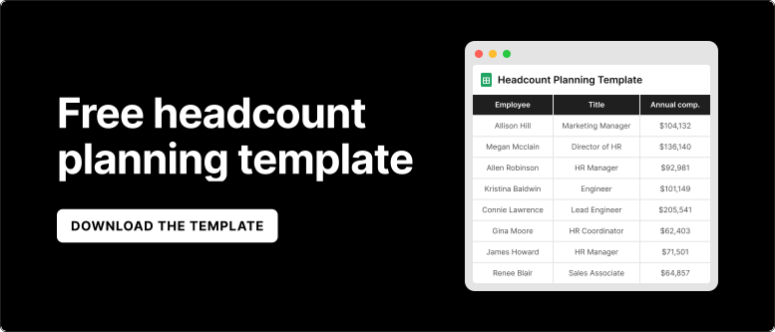
Plan open roles as to-be-hired rows with a start month and a loaded cost. When the hire lands in the HRIS, swap the placeholder for the real employee record so the role isn't counted twice. Our guide to headcount planning tools covers open roles, backfills and contractors row by row, and the headcount planning template gives you the structure.
Heads, FTEs or month-end count?
Pick one measure per question and keep it consistent with the plan:
- Month-end heads for the org chart and board slide.
- FTEs for capacity, so two part-timers at 0.5 don't count as two people.
- Average FTEs for the month for cost, because someone who starts on the 20th costs about a third of a month.
Most "headcount doesn't tie" conversations are actually two people using different measures. Put the definitions on the first tab of the report.
Where to run the reconciliation
The job is the same everywhere; what differs is how much of the join is automated. Here's how the main approaches compare, as of October 2026:
| Approach | Examples | What it handles | Pricing and where it runs | Best for |
|---|---|---|---|---|
| Spreadsheet with exports | Excel or Google Sheets, HRIS and payroll CSVs | Everything, by hand, every month | Free beyond existing licenses. Desktop or cloud spreadsheet | Under about 50 employees, one entity |
| Payroll and HRIS reporting | ADP, Rippling, Gusto, BambooHR | Pay and roster reports, not the GL or the plan | Included in the subscription. Inside the HR system | Checking pay, not reconciling to plan |
| Spreadsheet-native FP&A | Aleph | Live HRIS, payroll and ERP data joined in your own model, with drill-down to the employee | Quote-based. Excel and Google Sheets add-in over a cloud data layer | Teams that want to keep their headcount model in spreadsheets |
| Web-based planning platforms | Workday Adaptive Planning, Pigment, Planful, Bob Finance (formerly Mosaic) | Workforce planning modules with HRIS imports and plan-vs-actual views | Quote-based. Web app | Teams standardizing headcount planning in a dedicated planning tool |
The spreadsheet route works until the monthly join takes longer than the analysis. Past that point, the question is whether you want the join automated inside your existing model or inside a new planning tool such as Workday Adaptive Planning. Either way, the four-step reconciliation above doesn't change.
Common mistakes in headcount reconciliation
- Reconciling at the department total. Offsetting errors hide each other. Always go to the employee.
- Plugging the difference. A plug line that grows every month is an unmapped cause. Name it or fix the mapping.
- Fixing variances by hand in the report. Fix the rule (accrual method, transfer convention, burden allocation) so next month's report is right without the edit.
- Letting the HRIS and the plan use different department names. Map them once, in one table, owned by one person.
- Doing it during close. Pull the snapshots after payroll and the GL are final. Our guide to why FP&A implementations fail explains why connecting the HRIS on top of close causes most first-month reconciliation problems.
Where Aleph fits
Aleph connects your HRIS, payroll, applicant tracking system and ERP, including BambooHR, Rippling, ADP Workforce Now and Greenhouse, and delivers the data live into the Excel or Google Sheets headcount model your team already uses. The employee-level join runs on every refresh instead of once a month by hand, you can keep a central set of assumptions for taxes, benefits and overhead, and you can drill from any department variance down to the people behind it. AI variance analysis drafts the first pass at explaining what moved.
It doesn't replace the decisions. Someone still has to agree the transfer rule and the burden allocation with the controller. Aleph makes the reconciliation fast enough to run every month, which is when it's useful. See Aleph for headcount planning for the details.
Reconcile headcount on live data with Aleph
Connect HRIS, payroll and the GL to the headcount model you already have, and see every variance down to the employee. Book a demo to see it on your data.

Get FP&A best practices, research reports, and more delivered to your inbox.








